Updated June 2026 · 10-minute read
If you own an Amazon Echo device, you've probably seen something about Alexa+. Amazon launched it in early 2026 as a major upgrade to Alexa - the voice assistant that has been in Echo devices since 2014. The upgrade is real and significant, but the way Amazon has marketed it has left a lot of Echo owners confused about what exactly changed and whether they need to pay for it.
This article explains what Alexa+ actually is, what's different from the old Alexa, which devices support it, what it costs, and - honestly - whether the features justify the subscription fee for different types of users.
The Core Change: Alexa Now Runs on Claude
The most important technical change in Alexa+ is what's powering it under the hood. The original Alexa was built on Amazon's own natural language processing technology - good at specific commands and integrations, but limited in conversational ability and unable to handle complex multi-part requests.
Alexa+ runs on Anthropic's Claude - one of the leading large language models. This is a significant change because Claude is a fundamentally more capable AI than what powered classic Alexa. The practical effect:
Alexa+ understands complex, multi-part questions that the old Alexa would have misunderstood or refused
It maintains context across a conversation - you can follow up a question without repeating the context
It can reason through problems, not just retrieve stored responses
It handles ambiguous requests more sensibly rather than giving a rigid "I don't understand that" response
To give a concrete example: ask classic Alexa "what should I make for dinner if I have chicken, rice, and whatever vegetables are typically in a stir fry, and I want something under 500 calories that takes less than 30 minutes?" and it would likely fail or give a generic response. Ask Alexa+ the same question and it reasons through the request, suggests specific dishes, and can follow up with a step-by-step recipe when you ask for one.
What Alexa+ Can Do That Classic Alexa Couldn't
Complex multi-step requests
Classic Alexa handled one command at a time. Alexa+ can handle chained requests that would have required multiple separate commands before. "Play some relaxing jazz, set the living room lights to warm white at 30%, and remind me to take my medication in two hours" works as a single request.
Agentic tasks - acting on your behalf
This is the genuinely new capability. Alexa+ can complete tasks that require taking multiple actions through external services, not just answering questions. Supported agentic tasks in 2026 include:
Ordering or reordering products from Amazon based on your history
Booking restaurant reservations through OpenTable and partner services
Scheduling service appointments (plumbers, electricians) through Amazon Home Services
Managing grocery delivery orders through Amazon Fresh and Whole Foods
Calling businesses on your behalf to complete bookings
Conversational memory
Alexa+ can remember things you tell it across conversations. Tell it you prefer morning alarms at 6:30, that you're vegetarian, or that your partner's name is Sarah - and it incorporates that context into future responses without you repeating it. This is optional and can be disabled in privacy settings.
Better answers to general knowledge questions
Classic Alexa often gave unhelpful responses to anything outside its command-and-control wheelhouse. Alexa+ handles general knowledge questions, explanations, and open-ended requests with the capability you'd expect from a modern AI assistant. Medical questions get sensible responses with appropriate caveats. Historical questions get accurate detailed answers. Creative requests like writing a birthday message actually produce good results.
What Stayed the Same
Alexa+ builds on classic Alexa rather than replacing it entirely. The things that made classic Alexa useful still work the same way:
Smart home device control - lights, plugs, thermostats, locks
Alexa Skills - third-party integrations still function
Shopping list management
Music and podcast playback
Timers and alarms
Calling and messaging between Echo devices
Routines and automation
If you primarily use Alexa for smart home control and basic commands, you may not notice a dramatic difference day-to-day. The upgrade is most apparent when you try to do something that would have stumped classic Alexa.
Which Devices Support Alexa+
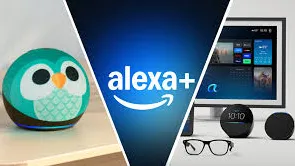
Device | Alexa+ Support | Notes |
|---|---|---|
Echo (4th gen and later) | ✅ Yes | Audio only - no screen |
Echo Show 8 (3rd gen) | ✅ Yes | Best overall Alexa+ experience |
Echo Show 10 (3rd gen) | ✅ Yes | Largest screen, rotating display |
Echo Show 15 | ✅ Yes | Wall-mountable, family hub |
Echo Show 21 | ✅ Yes | Largest Echo display |
Echo Dot (5th gen) | ✅ Yes | Budget entry point |
Echo older generations | ❌ No | Hardware limitation |
Alexa app (iOS/Android) | ✅ Yes | Alexa+ accessible via phone app |
Fire TV (recent models) | ✅ Yes | Voice remote access |
Check your device: If you're not sure whether your Echo supports Alexa+, open the Alexa app, go to Devices, select your Echo, and check whether Alexa+ appears as an available feature. Older devices (pre-2022) generally do not support the upgrade.
What Alexa+ Costs
Alexa+ is a subscription service at $5.99 per month, or included with Amazon Prime in some markets. The subscription covers all Alexa+ enabled devices on your Amazon account - you don't pay per device.
Without an Alexa+ subscription, Echo devices revert to classic Alexa functionality. The basic commands, smart home control, and Skills still work. The Claude-powered conversational AI, agentic task completion, and conversational memory require the subscription.
Worth noting: Amazon Prime members should check whether Alexa+ is included in their Prime subscription in their region before paying separately. In some markets, Alexa+ has been bundled with Prime as part of Amazon's push to make the upgrade the default experience for Prime users.
Alexa+ Privacy - What You Should Know
Alexa+ inherits the privacy profile of classic Alexa - conversations are processed in the cloud. Amazon uses voice recordings to process requests and, depending on your settings, may retain them to improve the service. The key privacy controls:
Review and delete voice history: In the Alexa app under Settings → Alexa Privacy → Review Voice History
Auto-delete recordings: Set recordings to auto-delete after 3 months, 18 months, or on request
Disable voice recording retention entirely: Available in privacy settings - Alexa works without saving recordings
Conversational memory: The feature that remembers your preferences can be disabled under Alexa+ settings if you'd prefer Alexa not to retain personal context
Physical mute button: All Echo devices have a physical mute button that disconnects the microphone at the hardware level - this is a genuine privacy control, not a software setting
The mute button is the most reliable privacy control for sensitive conversations. When the Echo's mute light is red, the microphone is physically disconnected and Alexa cannot hear anything, regardless of software settings.
Is Alexa+ Worth It?
This depends on how you use your Echo and what you're comparing it against.
Worth it if: You ask Alexa complex questions regularly, you'd benefit from agentic features like booking and ordering, you have a household where multiple people use Alexa for different things, or you want a genuinely capable AI assistant in your home without using your phone. At $5.99/month, it's one of the cheaper AI subscriptions available for the capability it provides.
Less compelling if: You primarily use Alexa to control smart home devices, set timers, and play music. Classic Alexa handles these perfectly well and the upgrade won't change your daily experience much. If you're already paying for ChatGPT Plus or Gemini Advanced on your phone, you're already getting capable AI - adding Alexa+ would be a fourth AI subscription for capabilities you might already have access to.
Worth trying first: Amazon offers a free trial period for Alexa+. Use it for 30 days across your actual use cases before deciding whether to pay ongoing. If you find yourself using the new capabilities regularly, the monthly fee is easy to justify. If you revert to basic commands most of the time, it probably isn't worth it for your household.
Frequently Asked Questions
Does Alexa+ work on all Echo devices?
Alexa+ requires fourth-generation Echo devices or later (released 2020 onwards for most models). Earlier devices do not support the upgrade. The full list of supported devices is in your Alexa app under Settings → Alexa+ or on Amazon's Alexa+ information page.
What happens to my Echo if I cancel Alexa+?
Your Echo reverts to classic Alexa functionality. Smart home control, Skills, timers, alarms, music, and basic commands all continue to work. The Claude-powered conversational AI, agentic tasks, and conversational memory features stop working. Any preferences Alexa+ had learned about you are no longer actively used.
Is Alexa+ the same as Claude?
Alexa+ is powered by Claude but it is not the same experience as using the Claude app or Claude.ai directly. Alexa+ uses Claude as its underlying AI engine but wraps it with Amazon's integration layer, smart home connectivity, and Amazon service connections. The conversational quality is similar, but Alexa+ is specifically designed for the home assistant context rather than general AI chat.
Can Alexa+ access my email and calendar?
Alexa+ can connect to Google Calendar and Microsoft Outlook for calendar management. Email access is more limited - Alexa can read and send messages through Alexa Calling and the Alexa app, but it doesn't have full access to Gmail or Outlook inboxes by default. Connections can be configured in the Alexa app under Settings → Calendar and Email.
Does Alexa+ work without an Echo device?
Yes. The Alexa app on iOS or Android provides access to Alexa+ features through your phone. You won't have the hands-free always-on experience of a physical Echo device, but all the Alexa+ capabilities are accessible through the app.
Alexa+ features and availability are updated regularly by Amazon. Pricing and included services may vary by region. This article reflects the state of Alexa+ as of June 2026.