Updated June 2026 · 10-minute read
You put on a pair of glasses, look at a restaurant menu written in Japanese, and ask what it says. Thirty seconds later you hear the translation in your ear. No phone out. No camera app. No typing. This is not a science fiction scenario. It is what Ray-Ban Meta smart glasses do today, and the AI pipeline that makes it possible is more interesting than most reviews explain.
This article breaks down exactly what is happening inside the glasses when you interact with Meta AI, which processing runs on-device versus in the cloud, how the multimodal model handles visual questions, and why the experience feels different from typing the same question into a chatbot.
▶ Watch:
What Is Actually Inside the Glasses
Ray-Ban Meta glasses contain more computing hardware than their thin frames suggest. The primary chip is a Qualcomm AR1 Gen 1, a processor designed specifically for wearable audio and AI devices. It handles Bluetooth audio processing, voice detection, and local audio AI tasks. The glasses also contain five microphones (two on each arm, one on the frame) that enable beamforming for voice capture and directional audio filtering.
The 12-megapixel front-facing camera sits in the centre of the frame above the nose bridge. It captures photos and video that can be analysed by Meta AI. The open-ear speakers sit just in front of each ear on the temple arms, projecting audio toward the ear without blocking ambient sound.
Critically, the glasses themselves do not run a large AI model. The Qualcomm AR1 Gen 1 is a power-efficient chip designed for audio and connectivity, not for running a billion-parameter language model. All of the intelligent AI responses come from Meta's cloud infrastructure. The glasses are the capture and output device. The brain is elsewhere.
The Voice Interaction Pipeline
When you say "Hey Meta," a wake word detection model running locally on the AR1 chip activates. This model is small enough to run continuously on the chip with minimal power draw, similar to the always-on wake word detection in smart speakers. It listens for the specific phonetic pattern of "Hey Meta" without sending any audio to the cloud.
Once activated, the microphone array begins capturing your query. The five-microphone beamforming system focuses directional sensitivity toward your voice while attenuating sounds from other directions. This is why Meta AI on the glasses often understands questions clearly in noisy environments where a phone microphone would struggle.
The captured audio is compressed and streamed via Bluetooth to your connected phone, which then forwards it over your mobile data or WiFi connection to Meta's servers. The server-side automatic speech recognition (ASR) system converts your voice to text. This text, along with any image you have captured, becomes the input to Meta Llama, the large language model that generates the response. The response is sent back as synthesised speech and played through the glasses' speakers.
The full round trip from finishing your question to hearing the first words of the answer typically takes 2 to 4 seconds on a good mobile connection. Most of this time is network latency and server processing, not on-device computation.
The Multimodal Pipeline: How the AI Sees What You See
The most distinctive capability of Ray-Ban Meta glasses is the ability to ask questions about what you are looking at. "What kind of plant is this?" "Is this a good wine for pasta?" "What does this sign say?" These are multimodal queries: they combine your voice question with an image of what the camera is pointing at.
When you ask a visual question, the glasses capture a photo using the front camera at the moment you ask. This photo is compressed and sent to Meta's servers alongside the transcribed text of your question. On the server side, a multimodal AI model processes both the image and the text simultaneously.
The model architecture for this is a vision-language model (VLM), which is a neural network that has been trained to understand both images and text and generate text responses grounded in visual content. Meta uses a variant of their Llama model family with visual understanding capability. The model produces a text response that describes, explains, or answers questions about the image content.
This visual AI capability is the most technically demanding part of the glasses' pipeline and the reason the response latency is higher for visual questions (4 to 8 seconds typically) than for text-only queries (2 to 4 seconds). Processing a high-resolution image through a large vision-language model requires more server computation than processing text alone.
▶ Watch:
Live AI: The Always-On Visual Mode
Meta introduced Live AI mode for Ray-Ban Meta glasses, which allows continuous visual streaming rather than single photo capture. In Live AI mode, the camera streams video to Meta's servers and the AI can provide ongoing commentary and answers about what you are looking at in near real-time, without requiring you to take a photo first.
This is a significantly more demanding pipeline than single-photo queries. Continuous video streaming requires higher bandwidth and more server-side processing. Meta implemented this selectively, requiring an explicit activation and limiting the feature to compatible regions and connectivity conditions. The AI in Live AI mode processes video frames at a reduced rate rather than true real-time frame-by-frame analysis, producing responses every few seconds rather than continuously.
The privacy implications of Live AI are significant. In single photo mode, the camera captures only at your explicit command. In Live AI mode, video streams continuously to Meta's servers while the mode is active. Meta's privacy policy covers this data under their standard terms, which allow use for AI model improvement.
What the AI Cannot Do on Glasses vs Phone
Understanding what the AI pipeline cannot do clarifies realistic expectations for the glasses.
The glasses cannot maintain a long conversation context as effectively as the Meta AI app on your phone. Each interaction is relatively self-contained, and the glasses interface is not designed for multi-turn dialogue. Voice interaction while wearing glasses works best for single questions with direct answers rather than extended back-and-forth conversations.
The glasses cannot process AI queries without an internet connection. There is no on-device large language model. If your phone has no data signal, voice AI queries will not work. The basic playback and call functions continue to work offline because these do not require server processing.
The camera quality, while 12 megapixels, captures images at angles determined by where your head is pointing rather than where you are deliberately aiming a phone camera. For object identification and scene description, this works well. For detailed text reading (small print menus, medicine labels), the image quality and framing constraints sometimes produce less reliable results than deliberately aimed phone camera AI.
Frequently Asked Questions
Does Meta AI on the glasses use the same model as Meta AI on my phone?
Both use Meta's Llama model family on Meta's servers, but the glasses interface uses a version optimised for conversational voice responses rather than long-form text generation. The response style from the glasses tends to be shorter and more direct, optimised for audio delivery rather than reading on a screen. The underlying model capability is similar, but the interface constraints shape how responses are formatted.
How does the AI know when you are asking it a question versus talking to someone else?
The wake word 'Hey Meta' serves as the explicit trigger. Without the wake word, the glasses do not capture or process audio for AI. This is a deliberate design choice that addresses privacy concerns: the always-on wake word detection model is small and local, and no audio is sent anywhere without the wake word trigger. If you say 'Hey Meta' while in a conversation with someone, the glasses will respond, which can occasionally cause awkward social situations in normal use.
Can the glasses translate text in real time like AR glasses?
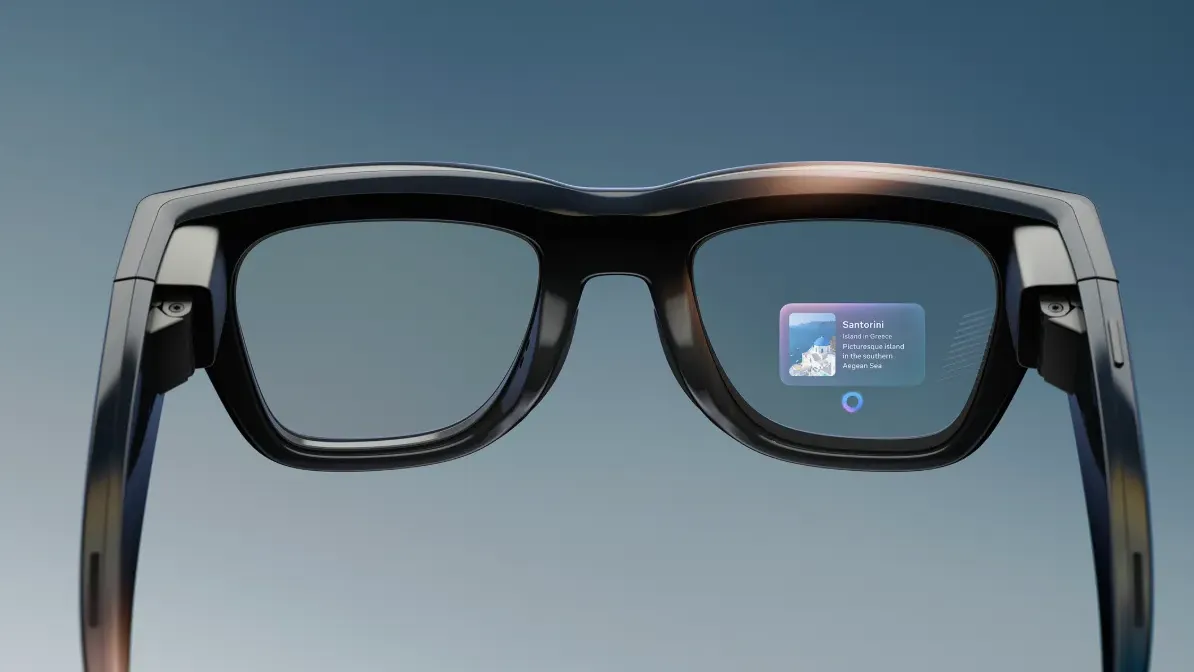
Ray-Ban Meta glasses without a display can translate text you photograph and read the translation aloud. They cannot overlay translated text on the real world in your field of view because they have no transparent display. The Meta Ray-Ban Display model, announced at Connect 2025, adds a small projection display that can show limited information including navigation directions and AI responses visually, but it is not a full augmented reality overlay at the level of Microsoft HoloLens.
How much data do Ray-Ban Meta glasses use per day?
Data usage depends heavily on how often you use voice AI and Live AI features. Basic use with occasional voice queries uses a few megabytes per day. Active use with frequent visual queries and Live AI streaming can use 100 to 300 megabytes per hour of active use. Music streaming through the glasses uses approximately 50 to 150 megabytes per hour depending on audio quality. For most users, the glasses will use 50 to 200 megabytes per day under normal mixed usage.
Technical details in this article are based on Qualcomm AR1 Gen 1 documentation, Meta AI published research, and independent hardware analysis of Ray-Ban Meta glasses as of June 2026.