Updated June 2026 · 10-minute read
Every laptop launched in 2025 and 2026 has been marketed as an AI PC. Most of them have an NPU. Microsoft requires at least 40 TOPS of NPU performance to carry the Copilot+ badge. But walk into any laptop store and ask a sales assistant what the NPU actually does and you will get a vague answer about AI being faster.
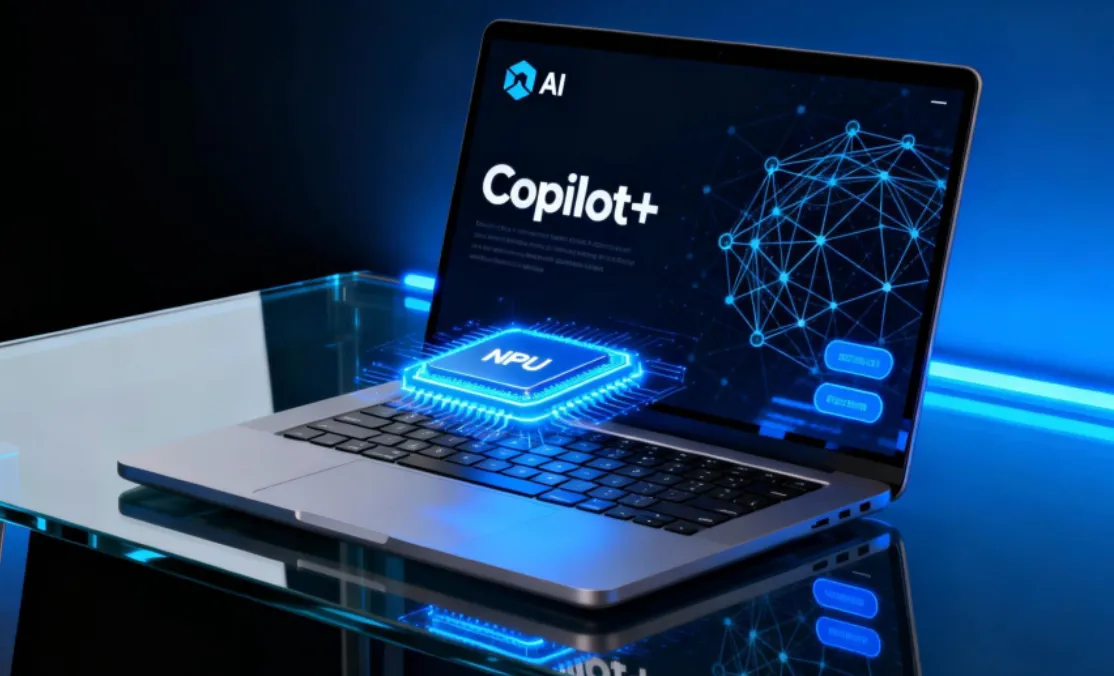
Here is a precise answer. The NPU in a Copilot+ PC is a matrix multiplication accelerator optimised for the specific mathematical operations that neural network inference requires. It is not a general-purpose processor. It cannot replace the CPU for most tasks. But for the specific operations that run AI models, it is dramatically more efficient than either the CPU or GPU, which translates to longer battery life and lower thermal output when running AI workloads continuously.
What TOPS Means and Why 40 Is the Threshold
TOPS stands for tera-operations per second: one trillion mathematical operations per second. An NPU rated at 40 TOPS can perform 40 trillion multiply-accumulate operations per second, which is the core computation in neural network inference.
Microsoft set 40 TOPS as the Copilot+ PC minimum because their Windows AI features, specifically real-time generative AI capabilities like Cocreator in Paint, Live Captions translation, and Windows Studio Effects, require this minimum throughput to run at acceptable frame rates with acceptable battery impact. Below 40 TOPS, these features either run too slowly or fall back to CPU execution, which uses significantly more power.
Current Copilot+ PC chips and their NPU ratings:
Chip | NPU Performance | Devices |
|---|---|---|
Qualcomm Snapdragon X Elite | 45 TOPS | Surface Pro 11, Dell XPS 13, Lenovo Yoga Slim 7x |
Qualcomm Snapdragon X Plus | 45 TOPS | HP OmniBook X, Samsung Galaxy Book 4 Edge |
Intel Core Ultra 200V (Lunar Lake) | 48 TOPS | ASUS Zenbook S 14, Acer Swift 14 AI |
AMD Ryzen AI 300 (Strix Point) | 50 TOPS | Lenovo ThinkPad X1 Carbon, HP EliteBook 1040 |
Apple M4 | 38 TOPS (Neural Engine) | MacBook Air M4, MacBook Pro 14 M4 |
Note on Apple: Apple Silicon's Neural Engine does not carry a Copilot+ designation because that is a Windows certification. But Apple's on-device AI capabilities through Apple Intelligence are powered by the same type of dedicated neural inference hardware. The M4 Neural Engine runs Apple Intelligence features locally on-device.
What the NPU Actually Does in a Copilot+ PC
The NPU runs specific Windows AI features that Microsoft has built into Windows 11. These are the features that require the Copilot+ badge and would be unavailable or significantly degraded on older hardware.
Live Captions with real-time translation. Live Captions transcribes audio from any source playing on your PC in real time, including video calls, YouTube videos, and local media. On Copilot+ PCs, this includes real-time translation from 40+ languages into English. The speech recognition and translation models run on the NPU, which is why the feature works without sending audio to the cloud and without significant battery impact.
Windows Studio Effects. Background blur, eye contact correction (which digitally adjusts your gaze to appear as though you are looking at the camera even when reading notes below it), portrait light (virtual lighting adjustment), and voice focus (microphone AI that isolates your voice from background noise) all run on the NPU. These effects process your webcam feed and microphone input in real time without uploading to any server.
Cocreator in Paint and generative image editing. AI image generation and editing features in Windows built-in apps run locally on the NPU rather than through cloud API calls, providing privacy and offline capability for image generation.
Semantic search in Windows. The ability to search your PC using natural language descriptions ("find the spreadsheet I was working on about Q3 projections last month") requires a local embedding model that indexes your files and understands semantic meaning. This runs on the NPU in the background.
▶ Watch:
What the NPU Does NOT Do
The NPU does not make general computing faster. Your browser, productivity apps, games, and code compilation all run on the CPU and GPU and are completely unaffected by NPU performance. Buying a Copilot+ PC for better performance in non-AI tasks is not the right reason.
The NPU also does not run most third-party AI applications. When you use ChatGPT in a browser, the AI runs on OpenAI's servers, not your NPU. When you use Claude via the web interface, that runs on Anthropic's servers. The NPU is for AI that runs locally on your device, which currently means Windows built-in features, specific applications that have been optimised for NPU execution, and local large language model inference through tools like Ollama or LM Studio.
Should You Buy a Copilot+ PC?
If you use any of the Windows AI features described above regularly, the NPU delivers a real and noticeable benefit: those features work, work well, and work without draining your battery noticeably. Live Captions with translation alone is a compelling feature for anyone who regularly watches content in other languages or works with international colleagues on video calls.
If you do not use these features, the NPU adds cost to your laptop without delivering tangible benefit. Non-AI tasks (which remain the majority of most users' computing) run identically on Copilot+ and non-Copilot+ hardware from the same generation, because those tasks use the CPU and GPU, not the NPU.
The honest 2026 verdict: Copilot+ is worth it if you are buying a new laptop anyway and these features appeal to you. It is not worth paying a significant premium over otherwise equivalent non-Copilot+ hardware purely for future AI features that may or may not arrive.
Frequently Asked Questions
Can older laptops get Copilot+ features through software updates?
No. The minimum 40 TOPS NPU requirement cannot be met through software updates on older hardware. The NPU is a physical chip on the motherboard. Microsoft's Copilot+ features that require NPU execution will not run on older PCs regardless of Windows version. Some features like basic Live Captions (without real-time translation) work on older hardware using CPU execution, but with higher battery impact and lower performance.
Is the Mac M4 Neural Engine the same as a Copilot+ NPU?
Functionally similar but architecturally different and for a different platform. Both are dedicated silicon for neural network inference. Apple's M4 Neural Engine performs 38 TOPS which falls just below Microsoft's 40 TOPS Copilot+ threshold, though Apple uses different performance measurement methodology. Apple Intelligence features on M4 Macs run locally through the Neural Engine. The practical result is similar: fast, private, battery-efficient on-device AI for platform-specific AI features.
What is Recall and why was it controversial?
Recall is a Windows AI feature that takes periodic screenshots of everything you do on your PC, uses the NPU to index this visual history, and lets you search through your past activity using natural language. It was announced alongside Copilot+ PCs and immediately raised significant privacy concerns: a complete visual history of everything on your screen, including sensitive documents, passwords, and personal communications, stored locally but potentially accessible if the device is compromised. Microsoft delayed the feature, made it opt-in rather than opt-out, and added encryption. It launched in limited form in late 2024. Its reception remains mixed.
Does the NPU help with running local AI models like Llama or Mistral?
Yes, on supported frameworks. Applications like LM Studio, Ollama, and Jan that run large language models locally can route inference to the NPU on Qualcomm Snapdragon X devices specifically. AMD and Intel NPU support for local LLM inference through these tools was more limited in 2025 but improving through 2026. Running a 7 billion parameter model locally on a Copilot+ PC's NPU is possible and produces better battery efficiency than GPU inference, though response speed is lower than a high-end GPU would deliver.
TOPS figures from official chipmaker specifications as of June 2026. Feature availability varies by Windows version and region.