
What Is Apple Intelligence? Every Feature Explained (2026)
Updated June 2026 · 10-minute read
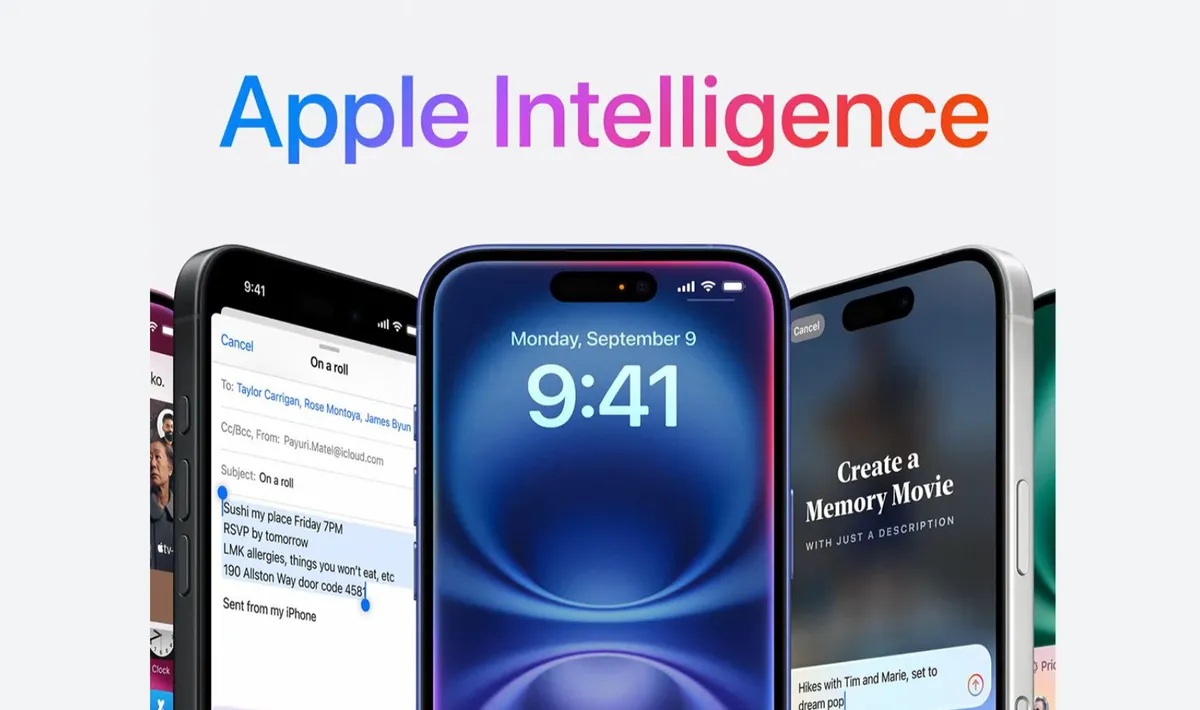
Apple Intelligence is Apple's name for the AI system built into its devices - iPhones, iPads, and Macs. It was announced at WWDC 2024 and has been rolling out in stages ever since. By 2026, it covers a wide range of features: writing tools, a smarter Siri, image generation, notification summaries, and more.
But there's a lot of confusion around it. Some people think it's just Siri with a new name. Others think it's Apple's version of ChatGPT. Neither is quite right. Apple Intelligence is something more specific - and understanding what it actually is helps you decide whether it's useful for you, and whether your device even supports it.
This article goes through every Apple Intelligence feature, explains how it works, which devices get it, and - honestly - what's genuinely useful versus what sounds impressive in a keynote but rarely comes up in real life.
What Apple Intelligence Actually Is
Apple Intelligence is a set of AI features built directly into iOS 18, iPadOS 18, and macOS Sequoia - and continuing into iOS 19 and beyond. The key thing that separates it from just "AI features" is where the processing happens.
Most AI tools - ChatGPT, Google Gemini, Alexa - send your data to remote servers, process it there, and send back the result. Apple Intelligence is designed to run the majority of its processing on your device, using the Neural Engine chips in Apple's hardware. Your data doesn't leave your phone for most tasks.
For tasks that are too complex to run locally, Apple built something called Private Cloud Compute - servers that process your request without storing your data, and which Apple says cannot be accessed even by Apple employees. Independent security researchers have been invited to verify these claims.
This privacy-first architecture is the foundation of the whole system. It's also why Apple Intelligence only works on newer hardware - the Neural Engine in older iPhones simply isn't powerful enough to run these models locally.
Which Devices Support Apple Intelligence?
This is where a lot of people get disappointed. Apple Intelligence requires:
Device | Minimum Model | Notes |
|---|---|---|
iPhone | iPhone 15 Pro / Pro Max | iPhone 16 and all variants fully supported |
iPad | iPad with A17 Pro chip, or any M-series iPad | iPad Pro M1 and later, iPad Air M1 and later |
Mac | Any Mac with M1 chip or later | MacBook Air M1, MacBook Pro M1, Mac mini M1, etc. |
Standard iPhone 15 (non-Pro) does not support Apple Intelligence. iPhone 14 and earlier - no matter the model - do not support it. This is a hard hardware limit, not something a software update can fix.
Language note: Apple Intelligence launched in English first. As of 2026, it supports English, Chinese (Simplified), French, German, Italian, Japanese, Korean, Portuguese, Spanish, and Vietnamese, with more languages being added through software updates.
Writing Tools - The Most Useful Feature Day to Day
Writing Tools is the Apple Intelligence feature most people end up using the most, because it works everywhere. In any app where you can type - Notes, Mail, Messages, Pages, third-party apps - you can select text and get AI assistance through a small menu.
What Writing Tools can do:
Proofread: Goes beyond spell check. Catches grammatical errors, suggests clearer phrasing, and flags awkward sentences. Works well for quick emails where you want to sound professional without spending ten minutes editing.
Rewrite: Rewrites selected text while keeping the meaning. You can ask it to make something more formal, more casual, more concise, or more detailed. The results are usually pretty good - it keeps your intent intact rather than replacing everything with generic AI prose.
Summarize: Takes long text and produces a short summary. Genuinely useful for long email threads, long documents you need to skim, or notes you took quickly and want to clean up.
Make it Friendly / Professional / Concise: One-tap tone adjustments. These are more hit-or-miss than the other tools - "Make it Friendly" sometimes overshoots into something that sounds too informal. But for quick adjustments it saves time.
The reason Writing Tools works well is that it's contextual. It's not a separate app you paste text into - it appears exactly where you're already working, with no friction.
Siri With Apple Intelligence - What Actually Changed
Siri got a significant upgrade with Apple Intelligence, but it's worth being specific about what changed because the marketing can make it sound more dramatic than the day-to-day experience.
What's genuinely new:
On-screen awareness: Siri can now see what's on your screen and act on it. If someone sends you an address in a message, you can say "add this to my calendar" and Siri understands you mean the address in the message you're looking at - without you having to copy and paste anything. This is genuinely useful once you get used to it.
Personal context: Siri can reference information across your apps. "When is my next dentist appointment?" pulls from your calendar. "What did my sister say about dinner plans?" searches your messages. This requires giving Siri permission to access your apps, which understandably makes some people uncomfortable.
Natural back-and-forth: You can now correct Siri mid-conversation without starting over. Say "Set an alarm for 7am" - and then "Actually, make it 7:30" - and Siri understands the context. Small improvement, but removes a lot of friction.
ChatGPT integration: For questions that go beyond what Siri can handle locally, Apple built in an optional connection to ChatGPT. Siri asks your permission before sending anything to OpenAI, and you can turn this off entirely in settings. When it's on and you ask something like "write me a short poem about my cat," Siri hands it to ChatGPT and returns the result.
What hasn't changed much:
Siri still isn't as conversationally capable as ChatGPT or Google Gemini for general knowledge questions. It's much better at tasks within your Apple ecosystem - reminders, messages, calls, device control - than it is at open-ended conversation. If you want to use your iPhone as a conversational AI assistant the way people use ChatGPT, you're still better off opening the ChatGPT app directly.
Notification Summaries
Apple Intelligence summarizes your notifications so instead of seeing twelve individual messages from a group chat, you see one summary: "Your family is discussing dinner plans for Sunday - three restaurants mentioned." For people who get high notification volume, this actually reduces the mental load of checking your phone.
There's been some controversy about notification summaries getting things wrong - particularly summarizing news notifications in ways that were inaccurate or misleading. Apple has improved this since launch, but it's worth knowing the summaries are AI-generated and occasionally wrong. For casual group chats and low-stakes notifications they're fine. For anything important - medical, financial, legal - read the actual notification.
Image Generation - Image Playground and Genmoji
Apple Intelligence includes two image generation features that run entirely on-device.
Image Playground lets you create images from text descriptions in a few distinct visual styles - Animation, Illustration, and Sketch. You can type a description, choose a style, and get an image in seconds. It integrates with Messages, so you can send custom images in conversations. The style options are deliberately limited - Apple chose styles that look intentional rather than trying to replicate photorealism, which means the outputs look consistently finished even when the prompt is simple.
Genmoji lets you create custom emoji from text descriptions. Type "a corgi wearing sunglasses eating a taco" and it generates a matching emoji you can use in messages. It's a small feature, but one people actually use because it's fun and the results are usually good.
What Apple Intelligence does not do: generate photorealistic images of real people or places. The on-device models are intentionally limited in scope compared to tools like DALL-E or Midjourney. If you need that kind of image generation, those tools exist separately.
Photos App - AI-Powered Search and Editing
The Photos app got several Apple Intelligence upgrades that are more useful than they sound in a feature list.
Natural language search: You can now search your photos by describing them - "beach photos from two summers ago," "pictures with Dad at a restaurant," "any photo where someone is blowing out birthday candles." This works better than expected if you have a well-populated photo library. It searches faces, locations, objects, and activities simultaneously.
Clean Up tool: Removes objects from photos - a stranger in the background, a telephone wire, an unwanted reflection. It works on-device, which means it processes faster than cloud-based equivalents and your photos don't leave your phone. Results are good for simple backgrounds and occasionally rough on complex textures.
Memory Movies: Apple Intelligence can generate video slideshows from your photo library based on a text prompt. "Make a video of our trip to Japan" generates a movie with relevant photos, automatic editing, and music. The results vary - sometimes surprisingly good, sometimes generic - but it's useful for creating something shareable without manual effort.
Priority Notifications and Focus
Apple Intelligence adds a "Priority" notifications view that surfaces the messages and alerts it thinks are most time-sensitive based on your patterns and the content of notifications. Urgent messages from people you communicate with frequently rise to the top. Promotional emails and low-stakes group chat messages get filtered lower.
How well this works depends heavily on your notification habits. If you have hundreds of apps all sending notifications, the AI has more to sort through and occasionally makes odd choices. If you've already pruned your notifications down to things that matter, the prioritization layer adds genuine value.
How Apple Intelligence Handles Privacy
The privacy architecture deserves its own explanation because it's genuinely different from how most AI systems work.
On-device processing: Writing Tools, Genmoji, Image Playground, most Siri requests, notification summaries, and Photos features all run on the Neural Engine inside your device. Nothing is sent anywhere. This is fast, private, and works without internet.
Private Cloud Compute: For tasks too complex for on-device processing, Apple routes requests to its own servers - but these servers are architected so that Apple cannot see your data, it's not logged, and it's not used to train models. Apple has made the software running on these servers available for independent security researchers to inspect, which is an unusual transparency step.
ChatGPT integration: This is the exception. When you opt in to ChatGPT requests, your query goes to OpenAI under a privacy agreement. Apple obscures your IP address and OpenAI doesn't store requests from Apple Intelligence users. But you're choosing to involve a third party, and the prompt is displayed before it's sent so you can cancel.
For most users, the practical takeaway is: Apple Intelligence is significantly more private than using Google Assistant, Alexa, or ChatGPT directly for the same tasks.
What Apple Intelligence Is Not Good At
Honest assessment requires saying what doesn't work well.
General knowledge questions: Siri with Apple Intelligence is still not competitive with ChatGPT or Gemini for open-ended research, complex reasoning, or detailed factual questions. If you ask it to explain a complicated topic in depth, you'll likely be frustrated compared to using a dedicated AI chatbot.
Third-party app integration: Apple Intelligence works best within Apple's own apps. Integration with Gmail, Google Calendar, WhatsApp, and other non-Apple apps is limited. The on-screen awareness feature works broadly, but deep integration - like having Siri manage tasks in Notion or draft in Google Docs - isn't there yet.
Notification summaries accuracy: As mentioned, these can be wrong. Not often, but enough that you shouldn't rely on them for anything where accuracy matters.
Image generation style limits: The three visual styles in Image Playground are restrictive for creative work. People who want flexible image generation will still use dedicated tools.
Apple Intelligence vs Google Gemini vs Samsung Galaxy AI
Feature | Apple Intelligence | Google Gemini | Samsung Galaxy AI |
|---|---|---|---|
Processing location | Mostly on-device | Mostly cloud | Mix of both |
Privacy architecture | ✅ Best in class | ⚠️ Cloud-dependent | ⚠️ Mixed |
Writing tools | ✅ System-wide | ✅ Good | ✅ Good |
General AI chat | ⚠️ Via ChatGPT | ✅ Native Gemini | ✅ Native |
Live translation | ⚠️ Limited | ✅ Strong | ✅ Strong |
Photo editing AI | ✅ On-device | ✅ Cloud | ✅ Cloud |
Works offline | ✅ Most features | ❌ Most need internet | ⚠️ Limited offline |
Ecosystem lock-in | Apple only | Android/Chrome | Samsung Android |
Frequently Asked Questions
Do I need to pay for Apple Intelligence?
No. Apple Intelligence is included free with iOS 18, iPadOS 18, and macOS Sequoia on supported devices. There is no subscription. The only potential cost is if you heavily use the ChatGPT integration - basic ChatGPT access through Siri is free, but if you want GPT-4o features you need a ChatGPT Plus subscription separately.
Does Apple Intelligence work without internet?
Most features work without internet because they run on-device. Writing Tools, Genmoji, Image Playground, Photos Clean Up, and basic Siri requests all work offline. Features that need Private Cloud Compute require internet. ChatGPT integration requires internet.
Will my iPhone 14 ever get Apple Intelligence?
No. The A15 Bionic chip in iPhone 14 does not have a powerful enough Neural Engine to run Apple Intelligence models on-device. This is a hardware limitation that software updates cannot overcome. You would need to upgrade to iPhone 15 Pro or iPhone 16 to access Apple Intelligence.
Is Apple Intelligence always listening?
No. Apple Intelligence features activate when you use them - tapping Writing Tools, activating Siri, or opening the Photos search. The always-on Siri activation ("Hey Siri") has existed since before Apple Intelligence and processes the wake word on-device. Apple Intelligence itself is not a continuously running surveillance system.
Can I turn Apple Intelligence off?
Yes. Go to Settings → Apple Intelligence & Siri and you can disable the entire system. You can also disable individual features - turn off notification summaries but keep Writing Tools, for example. You can also disable ChatGPT integration specifically if you want to keep Apple Intelligence but not involve OpenAI.
How is Apple Intelligence different from Siri?
Siri is the voice assistant. Apple Intelligence is the broader AI system that powers many features across the operating system - Writing Tools, Photos editing, Image Playground, notification summaries, and an upgraded Siri. Think of Apple Intelligence as the engine and Siri as one of the interfaces to it.
The Bottom Line
Apple Intelligence is a real, useful upgrade to Apple devices - not marketing fluff. Writing Tools alone saves time for anyone who writes emails or messages regularly. The privacy architecture is genuinely better than cloud-dependent alternatives. Notification summaries reduce cognitive load for people who get high message volume.
But it's not a replacement for dedicated AI tools. If you want deep research, long-form content generation, or complex reasoning, you'll still open ChatGPT or Claude directly. Apple Intelligence is at its best when it's invisible - quietly making the apps you already use slightly smarter, without requiring you to change how you work.
The most important thing to know before deciding whether it matters for you: check whether your device supports it. If you're on iPhone 15 Pro or later, or any iPhone 16, it's already available - update to the latest iOS and go to Settings → Apple Intelligence & Siri to turn it on.
This article is based on Apple's official documentation, WWDC announcements, and hands-on testing. Apple Intelligence features continue to expand with each iOS update - last updated June 2026.