
Updated June 2026 · 10-minute read
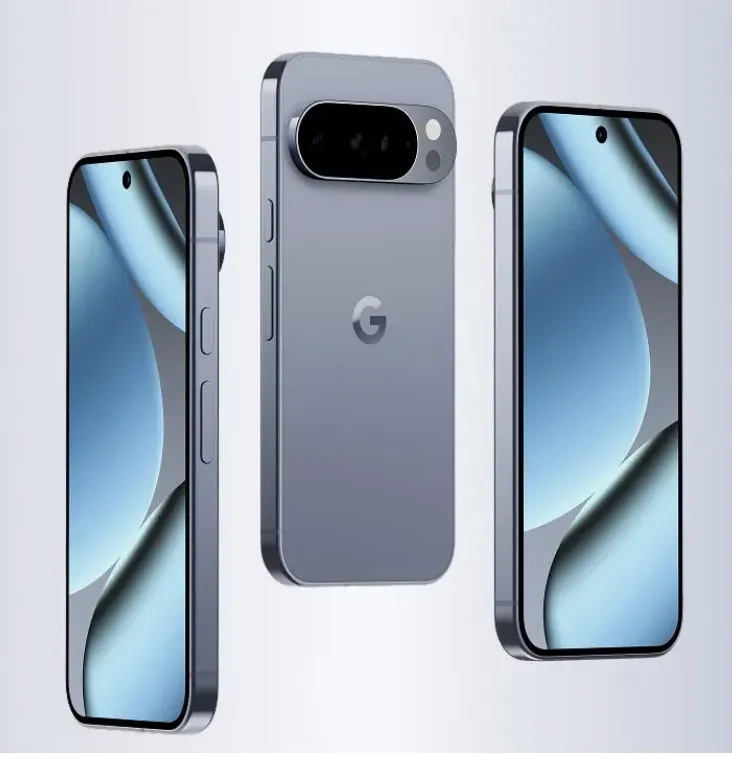
Google Pixel phones have been the proving ground for Google's most ambitious AI experiments since the original Pixel launched in 2016. Features that eventually spread to all Android phones, like call screening, live transcription, and smart photo editing, appeared on Pixel devices first. The Pixel 10, released in late 2025, continues this pattern with the deepest Gemini integration Google has shipped in a consumer phone to date.
This article covers every significant AI feature on the Pixel 10 series, explains what is genuinely new compared to Pixel 9, identifies what works well in daily use, and clarifies which features are Pixel-exclusive versus which ones are coming to broader Android.
The Tensor G5 Chip: Why It Matters for AI
Every Pixel 10 model runs Google's Tensor G5 chip, which Google designs in partnership with Samsung Foundry. The Tensor chip family is built around a specific philosophy: optimise the chip for the AI features Google wants to deliver on Pixel phones, rather than competing on raw performance benchmarks.
The G5 increases the dedicated AI processing capacity compared to G4 and adds specific hardware acceleration for the Gemini Nano model that runs on-device. The result is that Pixel 10 can run more Gemini features locally than Pixel 9 could, which matters for both the speed of those features and for the privacy of the data they process.
Google has been more transparent than most phone makers about which AI features process on-device versus in the cloud. Features using Gemini Nano on the Tensor G5 run locally. Features connecting to Gemini Pro or Ultra use the cloud. Understanding this distinction helps you know what to expect from each feature in terms of privacy and offline capability.
Gemini Integration: The Deepest Android Implementation
Pixel 10 has the most complete Gemini integration of any Android phone. Gemini is the default AI assistant and is deeply woven into Android 16 in ways that go beyond simply replacing Google Assistant with a chat interface.
Gemini overlay across any app
Hold the power button or swipe from a corner and the Gemini overlay appears on top of whatever app you are using. Gemini can see what is on screen and act on it. Reading an email and want to draft a reply? Gemini drafts one. Looking at a recipe and want to add the ingredients to your shopping list? Gemini does it. Watching a video and want to know more about something you see on screen? Ask Gemini without leaving the video.
This on-screen awareness is powered partly by Gemini Nano running on the Tensor G5 for recognition tasks, and partly by cloud Gemini for more complex reasoning and generation. The processing split happens automatically based on what the request requires.
Gemini Live
Gemini Live is a real-time conversational mode where you can have a back-and-forth spoken conversation with Gemini, interrupting it and changing direction naturally rather than waiting for each response to complete before speaking again. You can share your camera view with Gemini Live and it comments on and answers questions about what it sees.
Practical applications include talking through a problem while looking at something physical, getting real-time feedback as you work through a task, or simply having a more natural conversational interaction than the traditional one-question-one-answer pattern of voice assistants.
Call Screen and Call Assist: Industry-Leading Phone Call AI
Pixel's call AI features remain the most capable available on any smartphone, and Pixel 10 extends them further.
Call Screen
Call Screen has been on Pixel phones since 2018, but the Pixel 10 version is substantially smarter. When you receive a call from an unknown number, you can have Google screen it without answering. The AI greets the caller with a natural-sounding response and asks why they are calling. The caller's response appears as text in real time on your screen. You decide whether to answer, let it continue, or reject the call.
The transcription accuracy on Tensor G5 is noticeably better than earlier generations, particularly with accents and when callers speak quickly. The AI has also gotten better at identifying spam and robocall patterns before the caller even responds.
Direct My Call
When you call a number that uses an automated phone menu (press 1 for billing, press 2 for support), Direct My Call transcribes the options in real time on your screen and lets you select them by tapping rather than listening and remembering. This works entirely on-device using Gemini Nano.
Call Notes
Call Notes records, transcribes, and summarises phone calls with the other party's consent, indicated by an announcement at the start of the call. After the call, you get a full transcript and an AI-generated summary with action items extracted. The recording and transcription happen on the device using Tensor G5 processing.
Hold for Me
Put on hold by a business? Hold for Me monitors the hold music and alerts you when a human comes back on the line, so you can put the phone down and do something else. This runs entirely on-device.
Pixel Camera AI: The Computational Photography Leader
Google's camera AI remains the benchmark that other phone manufacturers measure against, and Pixel 10 advances it in several areas.
Best Take
Best Take captures a series of photos in quick succession and uses AI to identify the best expression on each person's face, then lets you swap faces between frames to create a group photo where everyone looks good. It works on existing photos in your gallery as well as new shots. The face detection and blending quality on Pixel 10 is strong enough that the composite photos are difficult to distinguish from naturally captured ones.
Photo Unblur
Photo Unblur uses AI to sharpen blurry photos, including older photos from your library, not just newly captured ones. It works best on photos where the blur is from camera movement rather than subject movement, and the results vary significantly based on the degree of blur. For mildly blurry photos it is impressive. For severely blurry photos it helps but does not fully recover the detail.
Magic Eraser
Magic Eraser removes unwanted objects from photos. Select an element and the AI replaces it with generated background. The generation quality has improved with each Pixel generation, and Pixel 10's implementation handles complex backgrounds better than previous versions. It processes on-device for most images.
Video Boost
Available on Pixel 10 Pro, Video Boost processes video through Google's cloud infrastructure after recording to apply AI enhancement. This is one of the few Pixel AI camera features that explicitly uses cloud processing rather than on-device computation, which allows a level of video quality enhancement that the phone's hardware cannot achieve locally. Videos are uploaded, processed, and returned enhanced. Google is clear that this involves cloud processing.
Night Sight and Astrophotography
Night Sight remains among the best low-light photography systems on any phone. The Tensor G5 improves the speed of the multi-frame computation that Night Sight uses, so the processing time after a low-light shot is noticeably shorter than on Pixel 9. Astrophotography mode, for capturing the night sky, continues to produce impressive results that require no tripod for the base version (though a tripod helps with the extended exposure modes).
Recorder: The Best On-Device Transcription App
Google Recorder on Pixel 10 uses Gemini Nano to transcribe recordings entirely on-device, with no cloud upload required. The accuracy is strong across a wide range of accents and recording conditions, and the app organises recordings intelligently, making them searchable by topic rather than just by date.
In 2026, Recorder also generates AI summaries of recordings automatically after transcription completes. The summaries are concise and accurate for structured content like meetings and lectures, and less reliable for unstructured conversations. The feature that allows you to ask natural language questions about a recording ("what did she say about the budget?") is genuinely useful for reviewing long recordings without listening to the whole thing.
Pixel 10 AI vs iPhone 17 AI: The Honest Comparison
Feature | Pixel 10 (Gemini) | iPhone 17 (Apple Intelligence) |
|---|---|---|
Real-time call screen | ✅ Best in class | Limited |
On-screen AI overlay | ✅ Cross-app Gemini | ✅ Siri with context |
Transcription accuracy | ✅ Excellent on-device | Good |
Photo AI editing | ✅ Magic Eraser, Best Take | ✅ Clean Up, Memory Movies |
Privacy architecture | Gemini Nano on-device for most | ✅ Strong on-device first |
Writing tools | Good via Gemini | ✅ System-wide Writing Tools |
Video AI enhancement | ✅ Video Boost (Pro, cloud) | Limited |
Natural language search | ✅ Google Search native | ✅ On-device Photos search |
Works offline | Most features need connection | ✅ Most features offline |
Which Pixel 10 AI Features Are Exclusive to Pixel
Google has a history of releasing Pixel-exclusive AI features and then opening them to broader Android over the following 6 to 18 months. Understanding what is currently Pixel-exclusive helps set expectations.
Currently Pixel-exclusive or Pixel-first features include Call Screen, Direct My Call, Hold for Me, and the full Recorder integration with on-device Gemini Nano. These rely on the Tensor chip's specific hardware and Google's deep integration with the Android software stack in ways that other manufacturers have not been able to replicate yet.
Circle to Search is now available on many non-Pixel Android phones with sufficient hardware. Live Translate has expanded beyond Pixel. Best Take-style multi-frame face compositing has appeared in Samsung's Galaxy AI on Galaxy S25 and later. The exclusivity window for Pixel features has shortened as Google has actively licensed and shared these capabilities with Android partners.
Frequently Asked Questions
Does Pixel 10 have the best camera of any phone in 2026?
Pixel 10 Pro is consistently ranked among the top two or three phone cameras in 2026, alongside iPhone 17 Pro and Samsung Galaxy S26 Ultra. The ranking varies depending on what aspect of camera performance is being measured. In low light and computational photography Pixel leads or ties. In video quality iPhone 17 Pro is generally considered the benchmark for many scenarios. In zoom photography Samsung has historically led. The honest answer is that the top phones from all three companies are extremely close, and the differences matter more to dedicated photography enthusiasts than to most users.
Is Pixel 10 a good choice if I primarily use Google apps?
Yes. Pixel gives you the deepest integration with Google's own services of any Android phone. Gmail, Calendar, Maps, Google Photos, Drive, and Meet all work more seamlessly on Pixel than on other Android phones because Google controls both the software and the hardware. If your digital life runs through Google's ecosystem, Pixel maximises how useful those services are.
Does Call Screen work in languages other than English?
Call Screen has expanded to support several languages beyond English, including Spanish, Japanese, French, Italian, German, and Portuguese, with availability varying by country. The feature works best in English, where it has had the most training data and the longest deployment history. Check Google's current supported features list for your specific region.
What is the difference between Pixel 10 and Pixel 10 Pro AI features?
Both models have identical Tensor G5 chips and run the same Android 16 with Gemini integration. The AI feature differences are primarily in the camera. Pixel 10 Pro has Video Boost, a second telephoto camera with AI-enhanced zoom capabilities, and additional computational photography features that take advantage of the Pro's more capable camera hardware. All the call, assistant, transcription, and general AI features described in this article are available on both models.
Google Pixel 10 AI features continue to be updated through Android and Pixel Drop software updates. This article reflects the feature set available as of June 2026.