
A Copilot+ PC is a Windows 11 laptop with a dedicated AI chip (an NPU) fast enough to run Microsoft's on-device AI features, specifically at least 40 TOPS of NPU performance. Microsoft introduced the label in 2024, and by 2026 it is on most mid-range and premium laptops.
But the interesting part in 2026 is not whether a laptop clears that bar, it is that nearly every new chip now blows past it, which changes what the label actually tells you.
What Does the Copilot+ Requirement Mean?
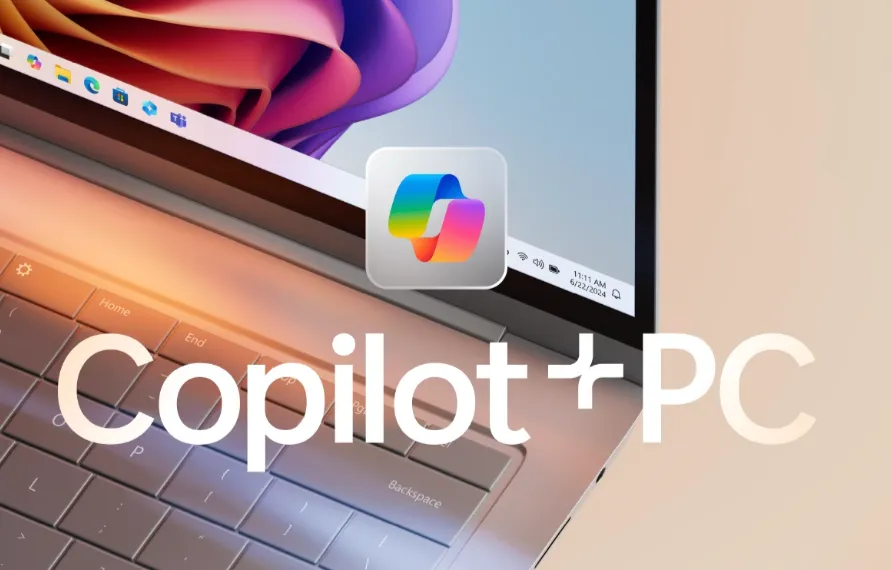
The core requirement is an NPU (Neural Processing Unit) of at least 40 TOPS, or trillion operations per second. An NPU is a chip built to run AI efficiently, separate from the CPU and GPU, handling things like local language models without hammering the battery.
Microsoft set 40 TOPS as the threshold needed to run its features, especially Windows Recall, smoothly and without draining the battery. It was not arbitrary: below it, the features lag or eat power too fast to be practical.
Which Chips Qualify in 2026?
Here is where the 2024 story has completely changed. Every current chip clears 40 TOPS easily, so the bar no longer separates them.
Chip | NPU (TOPS) | Notes |
|---|---|---|
Qualcomm Snapdragon X2 Elite | 80 (up to 85 Extreme) | Fastest NPU on paper, best battery life |
Intel Panther Lake (Core Ultra 3) | Up to 50 | Replaced Lunar Lake in Jan 2026, best x86 compatibility |
AMD Ryzen AI 400 | ~60 | Strong integrated graphics |
Apple M5 (MacBooks) | Not published | Not Copilot+, uses Apple Intelligence instead |
The takeaway: since every 2026 chip clears the Copilot+ floor comfortably, TOPS is no longer what you shop on.
Buy on screen, battery, price and app compatibility instead. Apple's M-series is not part of Copilot+ at all, since it is a Windows-only label, and Apple runs its own Apple Intelligence features on macOS.
What Features Do You Actually Get?
Windows Recall is the headline. It quietly saves encrypted snapshots of what you do, then lets you search your whole history in plain language: "find that article about electric cars I read last month." It shows the screenshot and a link to reopen it.
Recall drew heavy privacy criticism, so Microsoft made it opt-in, fully on-device and encrypted, with banking sites and private browsing excluded automatically. It has since shipped after that redesign.
Live Captions with translation captions any audio on your PC and translates over 40 languages into English, all on the NPU, so it works offline.
Cocreator in Paint generates and edits images from text prompts on-device, and Windows search now understands meaning, so you can find a file by describing its contents rather than its name.
One clarification people get wrong: the Copilot chat sidebar is on every Windows 11 PC, not just Copilot+, and it runs in the cloud.
What Copilot+ adds is the on-device features above, which run locally on the NPU. So Recall, live captions and Cocreator are private and offline, while the chat sidebar and Microsoft 365 Copilot use the cloud.
Are Copilot+ PCs Better Beyond the AI?
Yes, and this is the underrated part. These chips were built for efficiency, and offloading AI to the NPU frees up the CPU, so battery life is genuinely strong. Snapdragon X2 Elite laptops in particular post excellent all-day endurance, and Panther Lake is close behind. Everyday performance is strong across all of them.
The one caution is gaming. Snapdragon runs on Arm, so some Windows games and older software need emulation and compatibility still trails Intel and AMD. If gaming matters, an Intel or AMD machine is the safer bet, and check your specific titles first.
Copilot+ PC vs MacBook
The AI features on both are strong in 2026, so the choice usually comes down to ecosystem, not AI. Windows has Recall (whole-history search Apple lacks) and on-device translation.
Apple has more polished system-wide Writing Tools and strong privacy by default. Need Windows apps, get a Copilot+ PC; live in the Apple ecosystem, a MacBook still fits. Neither has a decisive AI edge.
Should You Buy One?
If you are buying a new Windows laptop in 2026, you will almost certainly get a Copilot+ PC whether you look for one or not, since the label is now standard mid-range and above. So the real question is not "should I get Copilot+," it is "is this generation worth it," and for most people the answer is yes: the battery gains are real, performance is strong, and Recall is handy once enabled.
Just do not pay extra chasing the highest TOPS number, every current chip clears the bar, so spend on the screen, battery and keyboard you use daily.
Conclusion
A Copilot+ PC is simply a Windows laptop with an NPU fast enough for Microsoft's on-device AI, and in 2026 that describes almost every new machine worth buying.
The label guarantees the AI features work locally and privately, which is a real benefit, but it no longer separates good laptops from great ones, because they all clear it. Treat Copilot+ as a baseline you will get by default, then choose your laptop on the things that actually shape daily use.
Frequently Asked Questions
Q1: Do I need a Copilot+ PC to use Microsoft Copilot?
A: No. The Copilot chat assistant works on any Windows 11 PC with internet. A Copilot+ PC is only needed for the on-device features: Recall, live-caption translation, Cocreator and the AI photo tools.
Q2: Is Windows Recall safe to use?
A: Microsoft made it opt-in, encrypted, and fully on-device, with banking and private browsing excluded, and researchers have confirmed the data does not leave your PC. Whether you enable it is a personal comfort call, not a safety issue.
Q3: Which is better, Snapdragon X2 Elite or Intel Panther Lake?
A: Snapdragon X2 Elite wins on battery life and raw NPU speed. Panther Lake wins on Windows app and game compatibility since it is x86. Both clear the Copilot+ bar easily, so pick Snapdragon for endurance, Intel or AMD for compatibility.
Q4: Can I upgrade my old laptop to be a Copilot+ PC?
A: No. It requires a qualifying NPU built into the processor, which cannot be added by software or a hardware swap. You would need a new machine.
Copilot+ features are updated by Microsoft through Windows updates. This reflects the state of Copilot+ as of 2026, and availability varies by manufacturer and Windows version.