
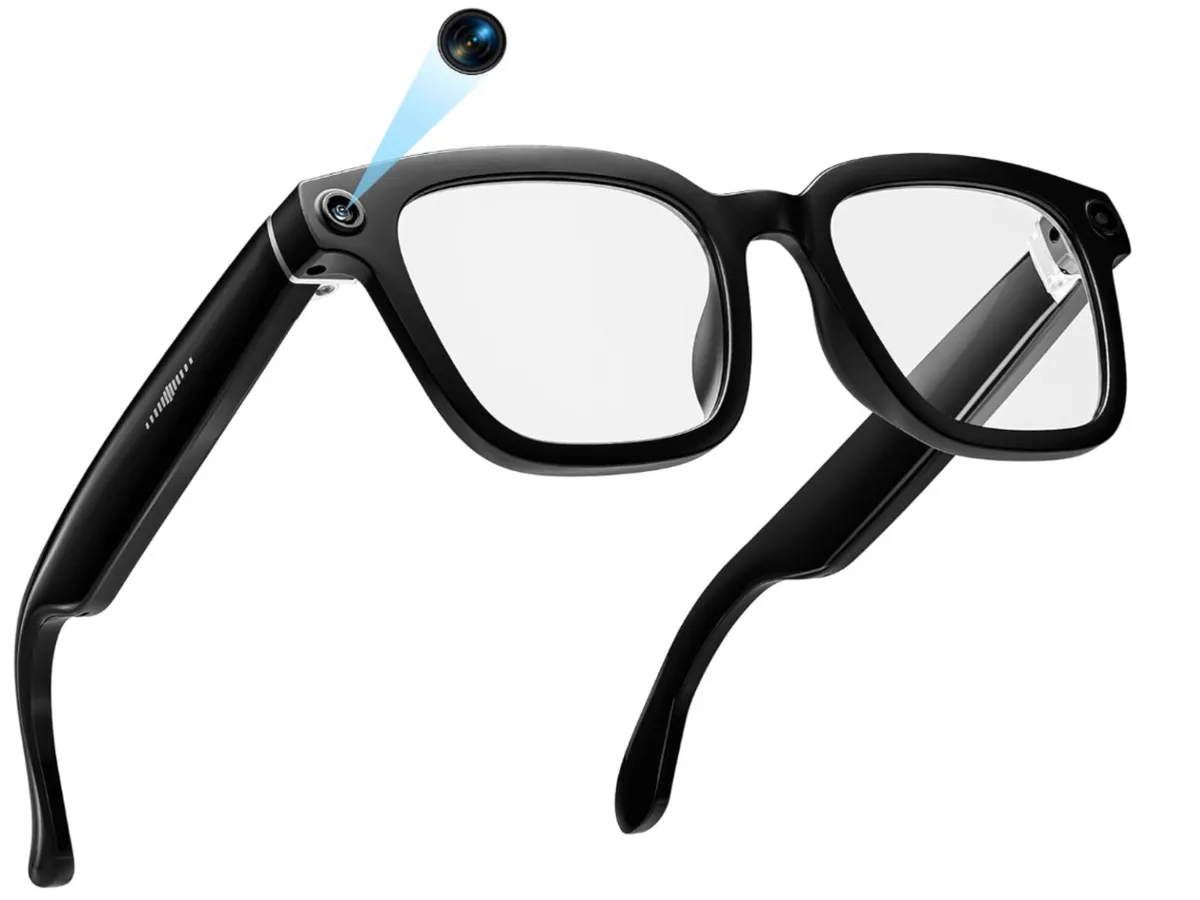
Meta's smart glasses lineup now splits into two meaningfully different products. The standard Ray-Ban Gen 2
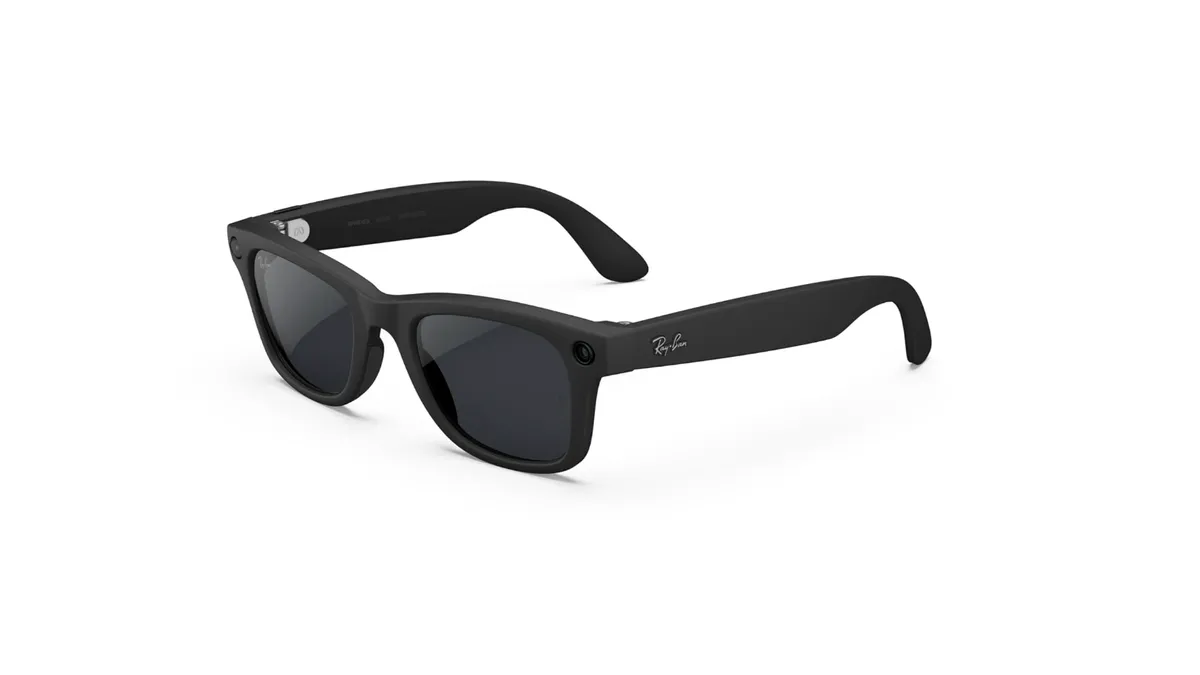
at $379 is the refined version of the device that made wearable AI cameras a mainstream conversation. The Display model at $799 adds an in-lens projection system and EMG Neural Band wristband, making it the first pair of smart glasses with actual augmented reality output available at a consumer price. These are not the same product at different price points. They serve different use cases, they weigh different amounts, they draw different amounts of attention, and they justify their prices for different buyers.
This comparison covers both devices with the specificity needed to make an actual buying decision. The prescription Blayzer model gets coverage too, because it changes the math for the 75% of adults who need vision correction.
Specs Compared Side by Side
Spec | Meta Ray-Ban Display ($799) | Meta Ray-Ban Gen 2 ($379) |
|---|---|---|
Display | 600x600px in-lens projection, 20° field of view | None |
Control method | EMG Neural Band wristband + frame touch | Frame touch + voice |
Weight | 69g | 49g (Wayfarer) |
Battery (active use) | 6 hours | 8 hours |
Camera | 12MP, 3K video | 12MP, 3K video |
Audio | 5 open-ear speakers | 5 open-ear speakers |
Meta AI | Yes, with live camera view | Yes, with live camera view |
Real-time captions | Yes (visible in lens) | No |
Turn-by-turn navigation | Yes (projected in lens) | Audio only via Meta AI |
Message display | Yes (on lens) | Audio read-aloud only |
Third-party app support | Limited | Limited |
Style options | Fewer (Display frame is chunkier) | More (Wayfarer, Headliner, Skyler, Caravans; multiple colors) |
How conspicuous | Everyone notices | Most people do not notice |
Water resistance | IPX4 | IPX4 |
Price | $799 | $379 |
 Meta Ray-Ban Display in-lens view" loading="lazy" width="1200" height="675" />
The Display Model: What the In-Lens Projection Actually Does
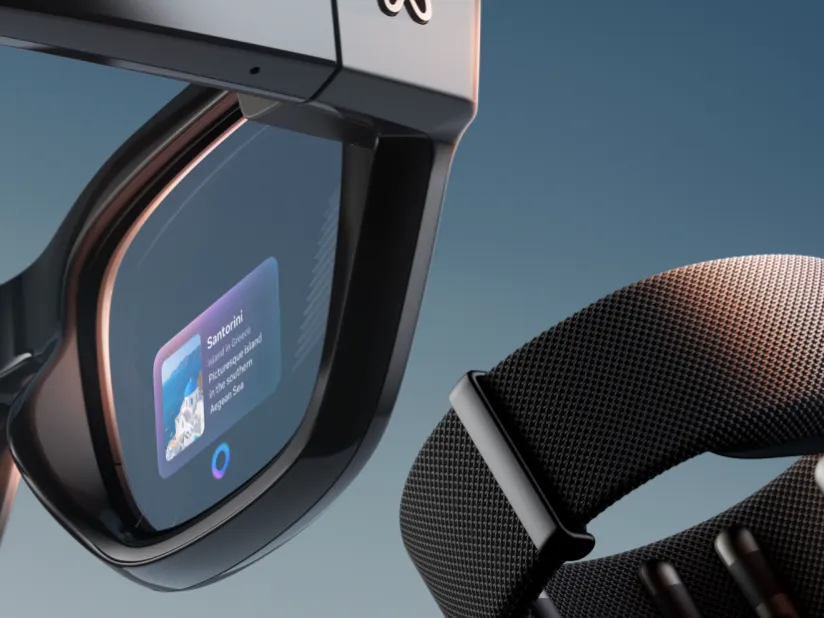
The Display model's headline feature is a 600x600 pixel projection visible only to the wearer in the right lens. The 20-degree field of view is small - approximately the size of a credit card held at arm's length - which sets the right expectations about what this display can and cannot show. You are not watching video or reading long documents through it. You are receiving glanceable information overlaid on the real world without having to look away from what you are doing.
The three use cases that justify the display exist in real daily life:
Real-Time Captions and Translation
Wearing the Display model during a conversation, the lens shows a live scrolling transcript of what the other person is saying. For people who are hard of hearing, this changes what the product is. For hearing users, it provides a reference for names, dates, and technical terms spoken in meetings - the kind of detail your brain loses 20 minutes after the conversation ends. The translation function works in real time for incoming speech in supported languages, displaying the translated text in the lens while you hear the original audio.
The accuracy inherits Meta AI's transcription quality - strong for clear speech at normal conversation distance, degrading in loud environments. The display is positioned in the lower portion of the right lens, so you look down-right to see it rather than having it centered in your primary field of view. This placement takes adaptation to use naturally.
Turn-by-Turn Navigation
Navigation directions appear in the lens as abbreviated turn prompts ("Turn right on Main St in 200m"). This is genuinely useful in unfamiliar cities or when cycling or running where pulling out a phone is inconvenient. The prompt is projected clearly enough to read in daylight, though bright sunlight at certain angles reduces contrast. The navigation relies on Meta AI connected to your phone's GPS - there is no onboard GPS in the glasses.
Messages on the Lens
Incoming messages display as preview text in the lens. This addresses one of the standard model's more obvious limitations: to read a message on the Gen 2, Meta AI reads it aloud through the speakers, which is fine on a solo walk and awkward everywhere else. The Display model's lens preview is private and silent.
The EMG Neural Band: Gesture Control Without Looking Weird
The EMG Neural Band is a wristband that reads electrical signals from forearm muscles to detect finger and wrist microgestures. The intent is to enable interaction with the glasses display without visibly reaching up to touch the frame - the gesture is subtle enough that it reads as natural hand movement.
Gestures supported at launch include scrolling through display content, accepting or dismissing notifications, and navigating between active functions. The learning curve is real: the EMG band requires a calibration period where it learns your specific muscle activation patterns, and the first few days of use involve enough failed gesture recognition to be frustrating. After the calibration window - which Meta estimates at four to seven days of regular use - the recognition accuracy improves substantially.
The wristband adds to the device's conspicuousness in the social sense. The glasses themselves may draw comment; the glasses combined with a wristband on the opposite wrist definitely draw comment. For early adopters, this is part of the experience. For people who specifically want technology that blends in, it undermines the Gen 2's strongest design achievement.
The Weight Gap: 20 Grams You Will Actually Feel
The Display model at 69 grams versus the Gen 2's 49 grams is a 20-gram difference. That is approximately the weight of four US quarters. On its own, 69 grams sounds trivial. In practice, glasses weight matters at a different scale than other wearables because the load point is the nose bridge and ears, and the center of gravity is farther from the body than a wrist device. Glasses that feel fine at 49g become noticeably present at 69g, and noticeably heavy after three or four hours.
Reviews of the Display model are consistent on this point: everyone notices the weight. Nobody reports it as a dealbreaker for short-duration use. Most report it becomes fatiguing for full-day wear. The Gen 2 at 49g is in the range where most people stop noticing after the first week. These are different wearing experiences.
Battery Life: 6 Hours vs. 8 Hours in Real Use
Meta rates the Display at 6 hours with the display active and the Gen 2 at 8 hours. Real-world numbers based on mixed use (audio, occasional AI queries, some display or camera use) tend to run 60-80% of rated battery life across both models. Expect 4-5 hours of real mixed use on the Display and 5-6 hours on the Gen 2 before reaching for the case.
The charging case for both models holds approximately three full glasses charges and tops up the glasses passively whenever they are stored inside. This extends the practical all-day use window significantly for both models. With the case habit adopted, neither model has a battery problem for a normal workday. The Display's shorter battery is more constraining for all-day outdoor activities where the case stays home.
Third-Party App Support: The Shared Limitation
Both models share the same weakness on third-party app support. The Meta platform for smart glasses remains relatively closed. Spotify, WhatsApp, and a small selection of other Meta-affiliated apps have integrations. Beyond that, the app ecosystem is thin compared to what the hardware could theoretically support. The Display model's screen makes this limitation more visible because you can see what the display could do if third-party apps could address it.
Meta has announced a developer program for the Display platform, and the app ecosystem will likely expand. Buying the Display today means accepting its current functionality as the baseline, with improvement possible but not guaranteed on any timeline. The Gen 2's feature set is mature and not dependent on third-party expansion to deliver its core value.
Style Options: A Real Differentiator
The Gen 2 ships in four frame styles (Wayfarer, Headliner, Skyler, Caravans) and multiple colors and lens options across those styles. The Display model ships in a single frame design that is visually bulkier than any of the Gen 2 options because it must accommodate the projector hardware. The additional weight has aesthetic consequences as well as comfort ones.
The social stealth of the Gen 2 is one of its genuine achievements. Wearing the Wayfarer in black, most people do not notice anything unusual. This is not a small thing: one of the reasons smart glasses have failed to reach mainstream adoption repeatedly is that nobody wants to be the person in the office or at the party visibly wearing tech hardware. The Gen 2 solved this problem adequately. The Display model reintroduces it, both because of the bulkier frame and because wearing a matching wristband makes the ensemble read as a technology setup in a way that a single pair of sunglasses does not.
The Blayzer Prescription Option: A Third Choice That Matters
For people who need prescription lenses, a third option exists: the Blayzer smart glasses at $799 with prescription lenses included from the factory. Comparing the options for prescription wearers:
Option | Price | Prescription Included? | AI Capability | Display? |
|---|---|---|---|---|
Meta Ray-Ban Gen 2 + third-party Rx lenses | $379 + $100-$300 Rx | Separate purchase required | Full Meta AI, live camera view | No |
Meta Ray-Ban Display | $799 + Rx if needed | No (add Rx separately) | Full Meta AI, live camera view | Yes (600x600px) |
Blayzer prescription smart glasses | $799 | Yes (included in price) | Smart glasses AI (not Meta AI) | No |
The Blayzer's engineering for prescription wearers is thoughtful: overextension hinges accommodate the more frequent on/off of prescription users who switch to sunglasses or safety glasses throughout the day. Interchangeable nose pads and optician-adjustable temple tips mean the glasses can be fitted by an optician rather than relying on a factory-standard fit that may not work for unusual face geometries. For someone with a complex prescription who has struggled to get third-party lenses fitted to standard smart glass frames, Blayzer removes the sourcing friction.
The trade-off is Meta AI. Blayzer's AI assistant is capable but it is not Meta AI with live camera view. The product intelligence that makes the Gen 2 genuinely useful - asking what's on the sign across the street, getting live translation of a foreign menu, having an AI assistant with full conversational context - is a Meta platform feature that Blayzer cannot replicate at the same level. If you need prescription lenses and primarily want audio functionality with basic AI, Blayzer is the cleanest path. If Meta AI's camera integration is central to your use case, the Gen 2 with third-party Rx is the more capable device at roughly the same or lower price.
Who Should Buy the Display Model ($799)
The Display model is for early adopters who specifically want AR output today. More specifically, it is worth $799 if you meet the majority of these criteria:
You regularly navigate on foot in unfamiliar cities and want eyes-up directions rather than phone-down navigation
You are hard of hearing and real-time caption display represents an accessibility function rather than a convenience
You work in contexts where glancing at your phone for messages is impossible or inappropriate, and silent lens notifications solve a real problem
You are comfortable with tech that draws attention and are in an environment where being an early adopter is neutral or positive
You can absorb the $799 price for what is functionally an early adopter device with a developing app ecosystem and limited third-party support
The honest framing: the Display model is hard to justify on pure value grounds for most buyers. $799 for smart glasses with limited apps, noticeable weight, and a 6-hour battery is a lot to spend on a device whose distinguishing feature still has the roughness of first-generation hardware. It is impressive technology. It is not finished technology.
Who Should Buy the Standard Gen 2 ($379)
The Gen 2 is the right choice for the larger audience by a significant margin. Buy it if:
You want hands-free photo and video from a natural first-person perspective without carrying an action camera
You listen to podcasts, audiobooks, or music during outdoor activities where earbuds are impractical or you want situational awareness
You take frequent hands-free phone calls and want the best call quality available in eyewear form
You want ambient AI assistance without pulling out your phone constantly
Stealth matters - you want smart glasses that look like regular Ray-Bans
You want the widest choice of frame styles and lens options
Wearing these all day without fatigue is important to you
At $379, the Gen 2 is a product with a defined, mature feature set that delivers real value for the right buyer. The Meta AI integration is the strongest AI-in-glasses implementation available at this price. The call quality is the best in the wearable audio category. The design works in real social environments. It is not trying to be an AR device, and it does not need to be to earn its keep.
The Value Verdict
The $420 price gap between the Display and the Gen 2 is large enough to represent a second pair of Gen 2 glasses and a year's worth of third-party Rx lenses. What the $420 premium buys: a small in-lens display with three primary use cases (captions, navigation, messages), an EMG wristband, 20 grams of additional weight, and two fewer hours of battery life.
For the majority of people reading this: the Gen 2 at $379 is the smarter purchase. It delivers everything that makes smart glasses useful in daily life - audio, camera, AI - without the weight, the price premium, and the conspicuousness of a device that is clearly in early adopter territory. If the specific capabilities of the Display (visible captions, heads-up navigation, lens notifications) address a concrete need you have, the premium has a justification. If you are buying it because the display is exciting and you want the most advanced option, the Gen 2 will serve you better in practice.
The Display is the better device in the narrow sense that it does more. The Gen 2 is the better purchase for most people in 2026.
Frequently Asked Questions
Is the Meta Ray-Ban Display an AR headset?
No. The Display model is smart glasses with a monocular heads-up display - a small projection in the right lens showing glanceable information like navigation prompts, message previews, and captions. The field of view is 20 degrees, which is roughly the size of a credit card at arm's length. It is a useful display for specific text-based information. It is not the immersive AR experience of a Quest or dedicated AR headset. The viewing area is small and content-limited.
Does the EMG Neural Band work well?
After a calibration period of four to seven days, recognition accuracy is solid for the supported gesture set. The first few days involve enough failed recognitions to be genuinely frustrating. If you buy the Display model, commit to wearing the band consistently during the calibration window. The gesture vocabulary is narrow at launch - scrolling, dismissing, navigating between functions - which limits what you can do without touching the frame, but covers the primary interaction patterns.
Can I get prescription lenses in the Display model?
Yes, through third-party optical retailers who support Meta Ray-Ban lens blanks. The Display frame is chunkier than the standard Ray-Ban frames, and finding opticians who work with it is harder than for the standard model. The Blayzer model at $799 includes prescription lenses from the factory and may be the better path for prescription wearers who do not specifically need the Display's features.
Which is better for calls: Display or Gen 2?
Call quality is identical between the two models. Both use the same dual beamforming microphone array and five-speaker system. The Display model gains lens-based notification of incoming calls (you can see caller ID without looking at your phone), but the audio experience of the call itself is the same. If call quality is your primary use case, the Gen 2 at $379 performs as well as the Display at $799.
How does the Gen 2 compare to the original Meta Ray-Ban?
The Gen 2 upgraded the camera from the original model's 12MP to a 12MP camera with improved optics producing 3K video at higher quality, expanded the audio system from three to five speakers, added more style options and color choices, and delivered Meta AI with live camera view (which was not available in the original launch firmware). The original model has been discontinued. The Gen 2 is the current standard model at $379.
Will Meta release a better Display model soon?
No confirmed timeline for a Display hardware revision exists as of April 2026. The current Display model launched recently enough that a hardware successor is unlikely before 2027 at the earliest. Software updates for the Display platform will continue, which may expand app compatibility and feature set. If you are waiting for a more polished Display model, the waiting period is likely measured in 18-24 months, not quarters.