
AI Gadgets and Your Privacy: What Data They Collect and How to Protect Yourself
How We Evaluated
- Privacy policies of 12 major smart device brands reviewed and compared
- Data deletion processes tested on Alexa, Google Home, and Siri - verified data removal
- Network traffic monitored on smart speakers and cameras to verify wake-word behavior
- Permission audit process tested on both iOS 26 and Android 16
The AI gadgets now standard in most households - smart speakers, AI-powered cameras, health wearables, and AI-enhanced phones - are genuinely useful. They're also collecting significant amounts of data about your home, your health, your voice, and your daily patterns. Most people have a vague awareness of this. Few understand the specifics.
This guide covers the mechanics of what gets collected, what gets stored, what the companies do with it, and the concrete steps that actually reduce your exposure. No fearmongering - just the factual landscape as it stands in April 2026.
Smart Speakers: How Wake Word Processing Actually Works
Amazon Echo (including the new Echo Dot Max at $100), Google Home Speaker ($100), and Apple HomePod all operate on the same two-stage architecture, though they differ significantly in what happens at each stage.
Stage 1: On-Device Wake Word Detection
Every current smart speaker runs a local wake word detector - a small neural network that listens continuously for its trigger phrase ("Alexa," "Hey Google," "Hey Siri") entirely on the device. This local model processes audio in real time but does not record or transmit anything. It generates no data that leaves the device.
The local model is intentionally limited in capability - it does one narrow job, which makes it both efficient and private. The tradeoff is that it produces false positives: words that sound similar to the wake phrase can trigger unintended recordings. Amazon has reported that its Alexa devices trigger accidentally on average roughly once per day per household in their internal testing. The rate varies by household ambient speech patterns and nearby TV audio.
Stage 2: Cloud Processing After the Wake Word
Once the wake word is detected, the device begins recording and sends that audio to the company's cloud servers for processing. This is where the privacy conversation gets more specific. The 2026 landscape has shifted notably: Amazon's Alexa+ subscription service ($20/month, free for Prime members) now routes substantially more personal context through Amazon's cloud AI infrastructure than previous Alexa generations. Google's Home Speaker similarly uses Gemini cloud processing for complex queries. These expanded AI capabilities come with expanded data collection.
Company | What Gets Sent to Cloud | Default Retention | Human Review Policy |
|---|---|---|---|
Amazon Alexa / Alexa+ | Audio from wake word onward; text transcript; device ID; personal context for Alexa+ subscribers | Indefinite unless deleted | Small percentage reviewed by contractors (opt-out available) |
Google Assistant / Gemini | Audio from wake word onward; transcript; account linkage if signed in; Gemini conversation context | 18 months default; configurable | Small percentage reviewed; opt-out in privacy settings |
Apple Siri | Audio hashed and de-identified; no account linkage by default | 6 months then anonymized; 2 years anonymized | Opt-in only since 2019 policy change |
Apple's on-device processing advantage is more significant for iPhone Siri than for HomePod. On iPhone 17 series (all models: iPhone 17 at $799, iPhone Air at $999, iPhone 17 Pro at $1,099, and iPhone 17e at $599), Siri processes many requests entirely on-device using the A-series Neural Engine - no audio ever leaves the phone for those requests. The Galaxy S26 Ultra ($1,299) running One UI 8 routes Gemini queries through Google's cloud infrastructure by default, though Samsung's on-device AI features for Galaxy AI tasks like Circle to Search operate locally. Pixel 10 Pro ($999) similarly separates on-device Gemini Nano tasks from cloud-based Gemini queries.
How to Delete Your Voice History
Amazon Alexa / Alexa+: Alexa app → More → Settings → Alexa Privacy → Review Voice History. You can delete by date range or all history. Set up automatic deletion at 3 months under the same menu. You can also say "Alexa, delete everything I said today." For Alexa+ subscribers, also review the Personalization settings to limit how much personal context is stored for AI features.
Google Assistant / Google Home Speaker: myactivity.google.com → Filter by "Voice and Audio" → Delete. Or Google Home app → Account → Privacy Settings → Audio History. Set auto-delete to 3 months (the shortest available option). Gemini conversation history has a separate control: myaccount.google.com → Data & Privacy → Gemini Apps Activity.
Apple Siri: iOS Settings → Siri → Siri History → Delete Siri & Dictation History. This clears the association between your Siri requests and your Apple ID. Because Apple doesn't link Siri audio to your account by default, the data that exists is already anonymized.
Smart Camera Data: Cloud, Local, and the Gap Between Them
AI-powered security cameras have diverged significantly in their data architectures. Understanding the differences matters for real privacy decisions.
Amazon Ring: Cloud-First Architecture
Ring cameras upload recorded clips to Amazon's cloud by default. All motion-triggered recordings, live view sessions, and event clips are stored on Amazon's servers. Without a Ring Protect subscription ($4.99-$10/month), you lose access to recorded clips - but the upload to Amazon's servers still occurs for processing. Ring uses cloud-based AI to detect people vs. animals vs. vehicles vs. packages.
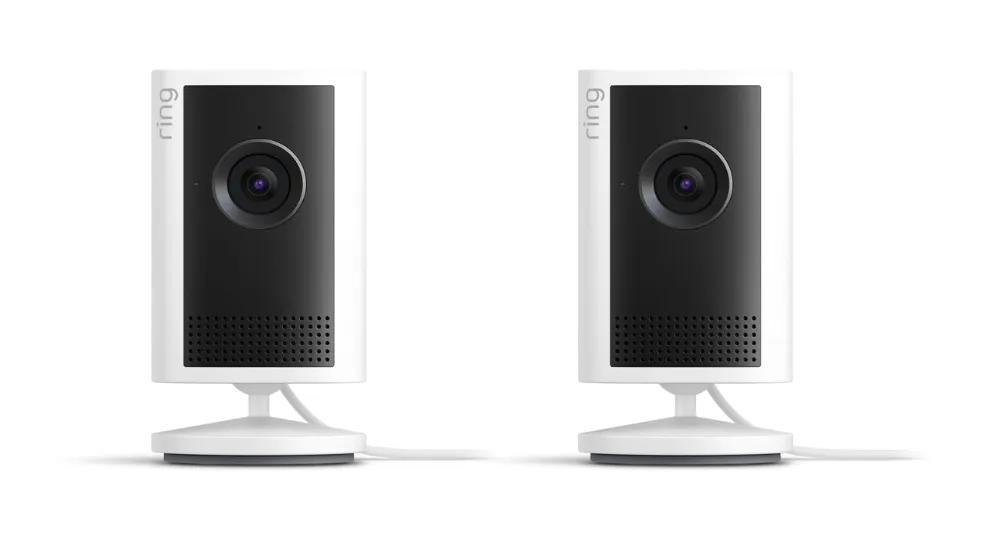
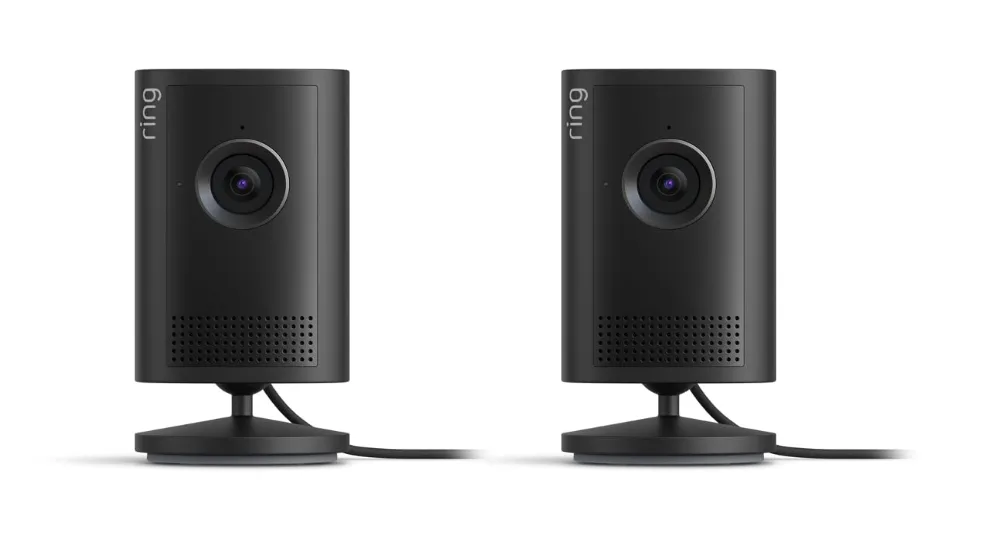
The more significant privacy concern: Ring's history of partnerships with law enforcement. Ring operated a program that allowed police to request video footage from Ring users (requiring user consent) and provided a data portal for such requests. Amazon updated these policies in 2022 following significant public criticism, but the underlying architecture - cloud storage of footage from cameras pointed at public streets - creates an obvious data aggregation risk. Ring cameras have faced documented incidents of unauthorized access; Amazon now requires two-factor authentication but does not enforce it by default.
Eufy: Local Storage Model
Eufy's cameras (HomeBase 3 series and most current models) store footage locally on a HomeBase hub or SD card. Video is encrypted on-device and does not upload to Eufy's cloud servers for storage. AI detection (person, vehicle, pet recognition) runs on the HomeBase hardware or camera chip, not in the cloud.
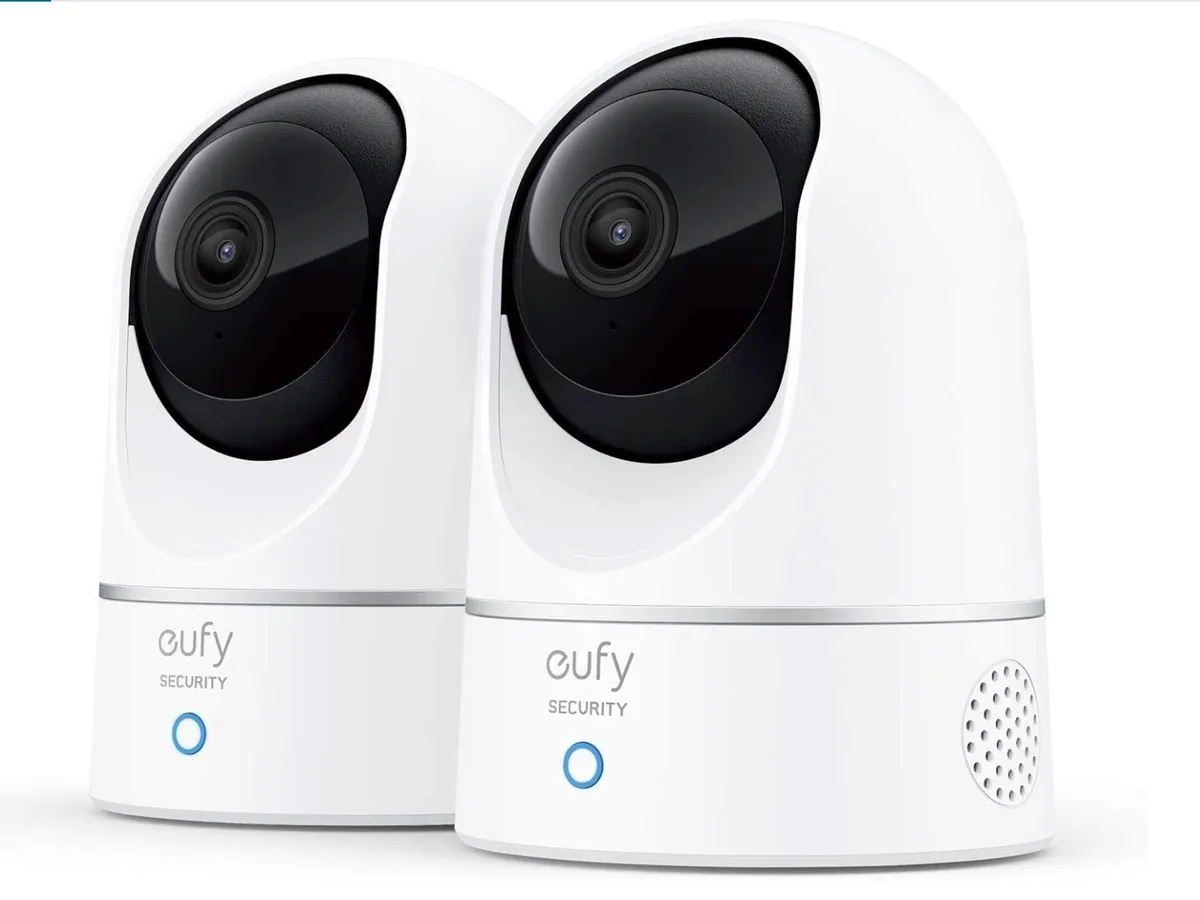
Caveat: Eufy faced scrutiny in late 2022 when security researchers found that some cameras were uploading thumbnail previews to cloud servers despite marketing claims of "local only." Eufy updated its privacy disclosures and pushed firmware updates to address this. The current product lineup appears to operate as described - local storage with optional cloud features clearly labeled - but the incident illustrates the importance of verifying claims independently.
Google Nest: On-Device Intelligence With Cloud Storage
Google Nest Cam (3rd gen, 2K HDR)eras run their object recognition AI on the camera's chip - person detection, package detection, and activity zones are processed locally. This is a meaningful privacy improvement over the original Nest Cam (3rd gen, 2K HDR)eras that routed everything through the cloud.
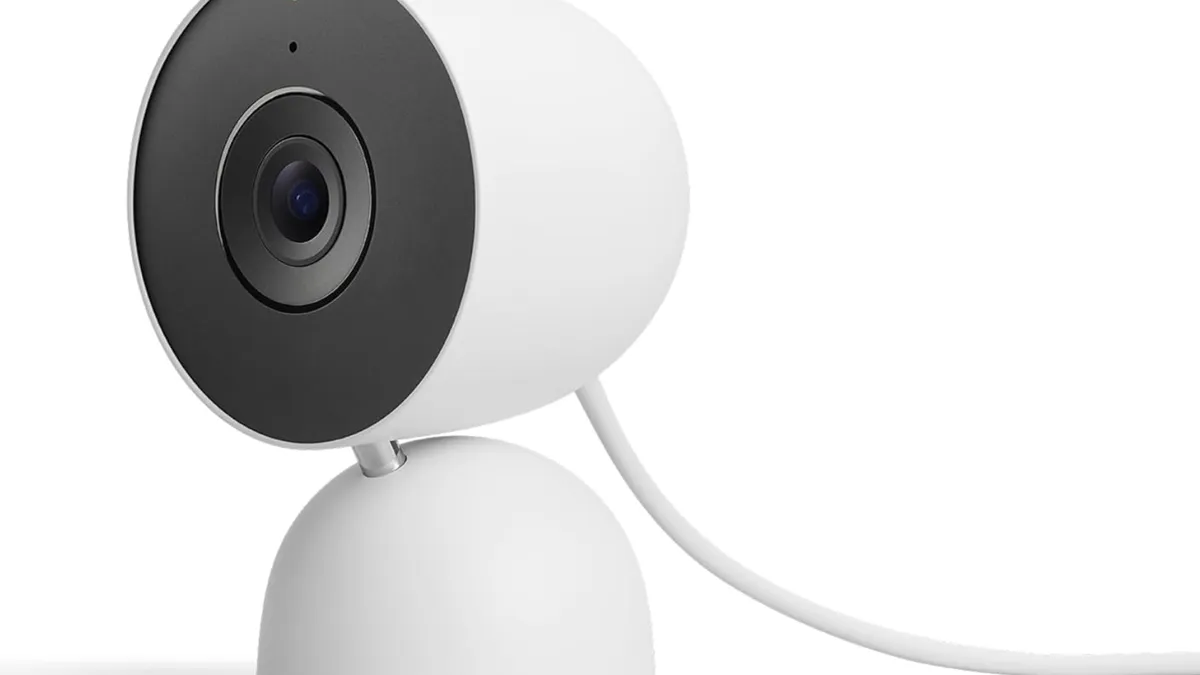
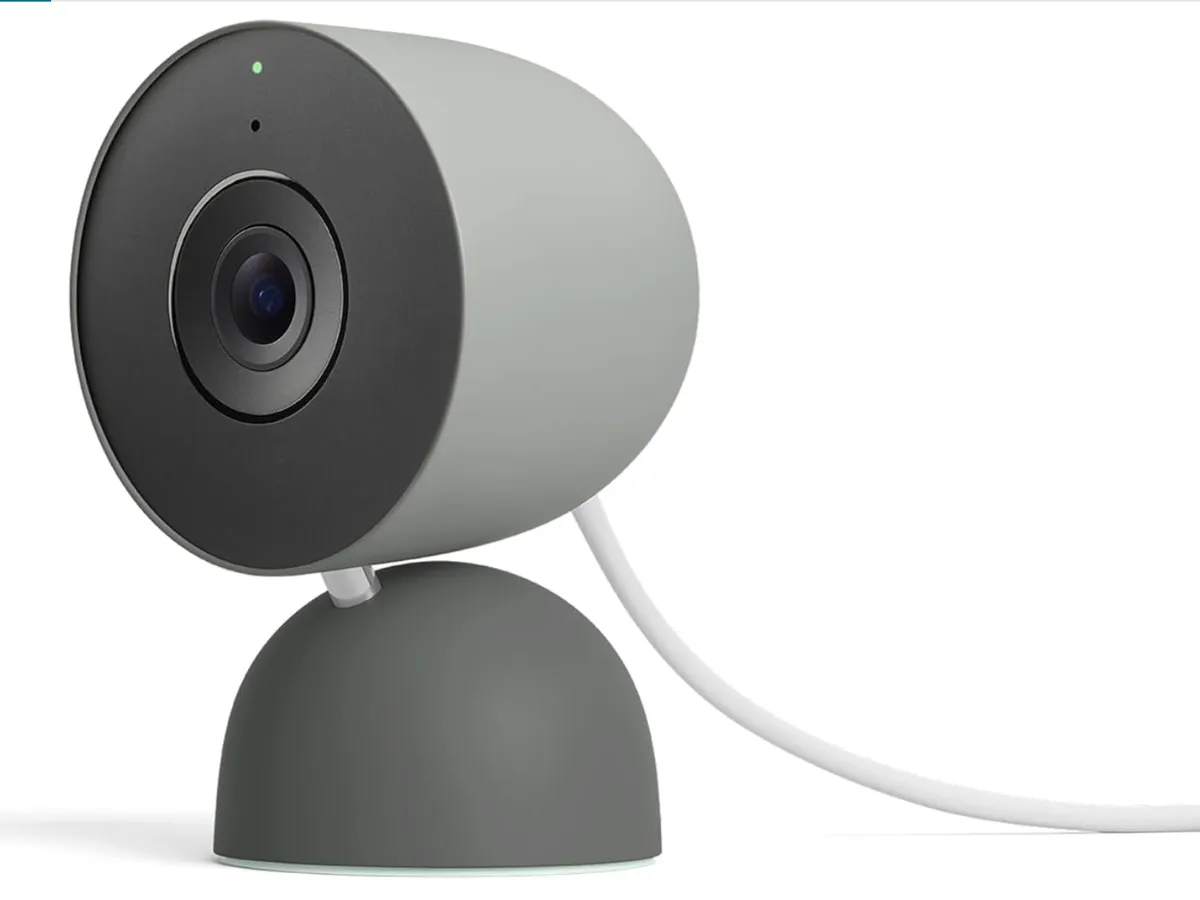
However, video storage remains cloud-based (Google One / Nest Aware subscription). The AI runs locally; the footage lives in Google's infrastructure. For users comfortable with Google's data practices and already in the Google ecosystem, this is a reasonable tradeoff. For those specifically concerned about footage being accessible to Google, it's not addressed by the on-device AI announcement.
Practical Camera Privacy Steps
If footage storage is your primary concern, use a local-storage camera (Eufy HomeBase ecosystem, Reolink local, or NAS-based systems like Synology Surveillance Station)
If you use cloud cameras, enable two-factor authentication on the account - this is the single most impactful security step
Audit what areas your cameras cover: a doorbell camera covering a public entryway is legally and ethically different from a camera covering a neighbor's property or a shared space
Review camera access logs periodically - most cloud platforms provide a history of account logins and live view access
Wearable Health Data: The HIPAA Gap
This is the most frequently misunderstood area of health device privacy: consumer health wearables - Oura Ring 4, Apple Watch Series 11, Whoop 5.0, Galaxy Watch 8, Pixel Watch 4, Garmin - are not covered by HIPAA. HIPAA (the Health Insurance Portability and Accountability Act) covers healthcare providers, health insurers, and their business associates. It does not cover consumer technology companies collecting health data directly from users.
This is not a loophole - it's structural. HIPAA was designed for the medical system, not for devices you buy at retail. The practical implication: the companies holding your heart rate, sleep patterns, menstrual cycle data, SpO2 readings, and location data are governed primarily by their own privacy policies and by consumer protection laws, not by healthcare privacy regulations.
What the Major Wearable Companies Actually Do With Your Data
Company / Product | Third-Party Data Sharing | Research Use | Data Deletion Available | Data Portability |
|---|---|---|---|---|
Oura Ring 4 ($349) | No sale of personal health data; anonymized aggregate research allowed | Opt-in research partnerships | Yes - full account deletion | Yes - API and data export |
Apple Health / Watch Series 11 ($399) | Health data not sold; third-party apps require explicit permission per data type | Research opt-in via Apple Research app only | Yes - per-app permission revocation + full deletion | Yes - health data export in XML format |
Samsung Galaxy Watch 8 ($299) | Health and wellness data not used for Samsung ad targeting; limited Samsung Health Platform sharing with explicit consent | Opt-in via Samsung Health research programs | Yes - account deletion removes data | Yes - Samsung Health data export |
Google Pixel Watch 4 ($349) | Health data not used for Google ad targeting (per Fitbit acquisition commitment extended to Pixel Watch platform) | Opt-in via Google Health research programs | Yes - account deletion | Yes - data export available |
Whoop 5.0 ($199-$359/yr tiers) | No sale of individual member data; anonymized aggregate research sharing | Published research using anonymized population data | Yes - account deletion | Limited - CSV export of key metrics |
The policies described above are current as of April 2026 and subject to change. The critical risk is not what companies say today but what future ownership changes or policy revisions might enable. Fitbit being acquired by Google is the clearest example: the privacy landscape for Fitbit data changed fundamentally when Google took ownership, even though Google made specific commitments to regulators about health data use. Samsung's deepening integration between Galaxy Watch health data and the Samsung Health Platform - which has commercial partnerships with insurers in some markets - is worth monitoring.
Specific concern for women's health data: fertility tracking apps and wearables that track menstrual cycles and infer fertile windows hold sensitive data with significant legal implications in the post-Dobbs legal landscape in the United States. Data from these services could theoretically be subject to legal requests. This is not hypothetical - law enforcement has previously sought data from period-tracking apps. Know what you're storing and with whom.
On-Device vs. Cloud AI: The Architecture That Determines Your Privacy
Not all AI features carry the same privacy implications. The distinction between on-device AI and cloud AI is the most important technical factor in understanding what data leaves your control.
On-Device AI: What It Means in Practice
On-device AI runs entirely on the local chip - your phone's processor, the camera's embedded chip, or the wearable's sensor array. Data never leaves the device for AI processing. Results are computed locally and only the output (a label, a score, a response) is used - not the raw underlying data.
Examples in current devices:
Apple Intelligence (iPhone 17 series, A18/A19 Pro chips): Writing tools, image editing, personal context queries, and most on-device Siri requests run via the Neural Engine without sending data to Apple servers. When cloud processing is needed, Apple routes it through Private Cloud Compute.
Google Gemini Nano (Pixel 10 Pro, Pixel 10a, Galaxy S26 Ultra): The Nano variant of Gemini runs on-device for features like call screening, real-time transcription, and offline translation. Larger queries route to Gemini cloud models.
Nest Cam (3rd gen, 2K HDR)era person detection: Object classification runs on the camera's chip; the raw video feed is not streamed to Google for AI processing.
Apple Watch Series 11 health algorithms: ECG, blood oxygen, fall detection, and crash detection processing all run on the watch's S-series chip.
Apple Private Cloud Compute
For requests that require more compute than an iPhone chip can handle, Apple routes Apple Intelligence queries through Private Cloud Compute (PCC) - a cloud infrastructure with specific privacy architecture. Key claims Apple makes about PCC, verified by independent security researchers:
Requests are processed on servers running verifiable software that security researchers can inspect via the Apple Security Research Device Program
Apple engineers cannot access the data being processed - no persistent logging, no operator access
The cryptographic architecture ensures that only your device can decrypt responses
Apple has published the PCC source code for external audit
PCC is a meaningfully different privacy proposition than traditional cloud AI, where your data is processed on servers that company engineers can access and where retention policies vary. It's not perfect, but it represents the most rigorous approach to cloud AI privacy currently deployed at consumer scale.
Google Gemini Cloud AI: The Tradeoff
Google's cloud AI processing is more traditional: queries are processed on Google's servers, associated with your Google account (unless you actively use Incognito mode in Google apps), and subject to Google's data retention and usage policies. Google uses this data to improve its AI models - the default setting. This applies to both the Google Home Speaker's Gemini integration and to Galaxy S26 Ultra users who have enabled Google's AI features alongside Samsung's own AI stack.
You can audit and limit this: myaccount.google.com → Data & Privacy → Web & App Activity controls. Disabling "Include Chrome history and activity from sites and apps that use Google services" prevents the broadest data collection. Setting auto-delete to 3 months limits retention. These are meaningful controls but require you to actively configure them - Google's defaults favor collection.
Samsung Galaxy AI and One UI 8 Data Practices
The Galaxy S26 Ultra running One UI 8 presents a layered AI privacy picture. Samsung's own Galaxy AI features (Circle to Search, Live Translate, Note Assist, Transcript Assist) are disclosed in Samsung's privacy policy. However, several of these features route through Google's Gemini infrastructure rather than Samsung's own servers - meaning data can be subject to both Samsung's and Google's retention policies simultaneously. On Galaxy S26, audit AI feature privacy under Settings → Privacy → Privacy Dashboard and Settings → Google → Manage your Google Account → Data & Privacy.
Practical Privacy Steps: What Actually Moves the Needle
Here are the specific actions ranked by privacy impact versus effort required:
High Impact, Low Effort
Enable two-factor authentication on all smart home accounts: Google, Amazon, Ring, Eufy, Nest - all of them. This single step prevents the most common actual attack (account takeover by credential stuffing or phishing). Use an authenticator app, not SMS.
Set voice history auto-delete to 3 months: Both Amazon and Google allow this in privacy settings. For Alexa+ subscribers, also set a retention limit on personalization data. Do it now if you haven't.
Audit app permissions on iOS and Android: iOS: Settings → Privacy & Security. Android: Settings → Privacy → Permission Manager. Revoke microphone, camera, and location from apps that don't have an obvious need. A flashlight app does not need your microphone.
Delete accumulated voice history: If you've had Alexa or Google Home for years without deleting, go clear the backlog. The instructions are in the Smart Speakers section above.
Medium Impact, Medium Effort
Switch to local-storage cameras: If footage storage privacy is a concern, transitioning to Eufy HomeBase 3 or a local NAS system eliminates the cloud storage risk entirely. Migration is a day of hardware work.
Use iOS/Android privacy dashboards regularly: iOS 26+ and Android 15+ both have dashboards showing recent app access to camera, microphone, and location. Review them monthly and investigate anything unexpected.
Mute smart speakers when having private conversations: The physical mute button on Echo Dot Max and Google Home Speaker disables the microphone at the hardware level. For conversations involving financial, medical, or legal matters, this is worth the mild inconvenience.
Review third-party app access to Apple Health and Samsung Health: iOS: Settings → Health → Data Access & Devices. Samsung Health: Settings → Connected Services. Revoke access from apps you no longer use actively.
Higher Effort, Significant Privacy Gain
Segment your network: Put smart home devices on a separate Wi-Fi SSID or VLAN from your computers and phones. This limits lateral movement if any device is compromised. Most modern routers support this natively.
Use a DNS-level ad/tracker blocker: Pi-hole (local) or NextDNS (cloud-based, $20/year) blocks tracking calls from devices before they leave your network. This is the most effective single step for smart home device telemetry reduction.
Review smart device privacy policies before purchase: Not the full document - the key sections: what is collected, who it's shared with, and what happens on acquisition or bankruptcy. The Mozilla Foundation's "Privacy Not Included" guide evaluates popular smart home devices and is updated regularly.
Your Legal Rights: GDPR, CCPA (expanded January 2026 with rules on Automated Decision-Making Technology opt-outs, mandatory risk assessments, and cybersecurity audits), and US State Laws
GDPR (EU and UK)
If you are in the European Union or United Kingdom, the General Data Protection Regulation gives you enforceable rights over your personal data:
Right of access: Request a copy of all data a company holds about you
Right to erasure ("right to be forgotten"): Request deletion of your personal data
Right to data portability: Receive your data in a machine-readable format
Right to object: Object to processing of your data for certain purposes including direct marketing and profiling
Right to restrict processing: Request that a company stop using your data while a dispute is resolved
To exercise GDPR rights, contact the company's Data Protection Officer (DPO) - required for all major tech companies operating in the EU. Response is required within 30 days. If a company fails to respond or refuses without justification, you can file a complaint with your national data protection authority (the ICO in the UK, the DPC in Ireland for many US tech companies' EU operations).
US State Privacy Laws (April 2026)
The US has no comprehensive federal privacy law equivalent to GDPR. Instead, a patchwork of state laws has developed:
Law | State | Key Rights | Effective |
|---|---|---|---|
CCPA / CPRA | California | Know, delete, opt-out of sale/sharing, limit sensitive data use, correct | 2020 / 2023 |
CPA | Colorado | Access, delete, correct, portability, opt-out of sale and profiling | 2023 |
CTDPA | Connecticut | Access, delete, correct, portability, opt-out of sale and targeted advertising | 2023 |
VCDPA | Virginia | Access, delete, correct, portability, opt-out | 2023 |
MHMDA | Washington | Specific to health data; consent required for collection and sharing | 2024 |
NPCPA | Nevada, Texas, Oregon, Montana, Indiana (similar) | Varying access, deletion, and opt-out rights | 2023-2025 |
California's CCPA/CPRA is the most comprehensive and practically enforceable US privacy law. If you are a California resident, you can submit deletion and data access requests to any company subject to CCPA - which includes all major tech companies. Most companies have a "Do Not Sell or Share My Personal Information" link in their privacy policies or a dedicated rights request portal.
Washington's My Health MY Data Act (MHMDA) is particularly relevant for wearable health data - it requires affirmative consent before collecting or sharing consumer health data and creates a private right of action (individuals can sue, not just regulators). This is the strongest state health data protection outside of GDPR. Given that Whoop 5.0, Oura Ring 4, and Galaxy Watch 8 all collect precisely the types of health data MHMDA covers, Washington residents have more legal recourse than most.
If you are outside a state with privacy law, you can still use CCPA's data deletion mechanisms with most major companies - Amazon, Google, Apple, Meta, and Samsung all process deletion requests regardless of state residency, as operationally simpler than geographic screening.
The Honest Summary
AI gadgets collect significant data. That data is generally used to improve services, not to harm users directly. The risks are: accidental exposure through account compromise, policy changes following corporate acquisitions, data aggregation over time that reveals more than individual data points, and legal exposure in jurisdictions where certain data categories carry legal risk.
The 2026 landscape has introduced new complexity: Alexa+ subscribers are sharing substantially more personal context with Amazon's AI systems than prior-generation Alexa users, and the Galaxy S26 Ultra's dual Samsung/Google AI stack means health and behavioral data can be subject to two separate privacy regimes simultaneously. These aren't reasons to avoid the devices, but they are reasons to actively manage your privacy settings rather than accepting defaults.
The steps that make the most difference remain unglamorous: two-factor authentication on accounts, voice history auto-delete, app permission audits, and choosing local-storage options where your threat model warrants it. You don't need to remove all AI gadgets from your life to meaningfully protect your privacy - you need to spend 30 minutes a year actively managing the data these devices generate.
Sources
Frequently Asked Questions
Is my smart speaker always recording?
The speaker processes audio locally and continuously to detect the wake word, but this processing happens entirely on the device and produces no recordings. After wake word detection, audio is recorded and sent to cloud servers. Without the wake word, no audio leaves the device. The exception is false positives - unintended triggers that create short unintended recordings. These appear in your voice history and can be deleted.
Does Alexa+ collect more data than regular Alexa?
Yes. Alexa+ ($20/month, free for Prime members) builds a persistent personal context model - your preferences, routines, household members, and behavioral patterns - to power its more capable AI responses. This context is stored by Amazon to personalize future interactions. The tradeoff for the improved AI capability is a richer data profile on your household. You can review and limit personalization data in the Alexa Privacy settings, but the free-tier Alexa without Alexa+ involves substantially less persistent profiling.
Can I use AI gadgets and still protect my privacy?
Yes. The most impactful protections - 2FA, auto-delete voice history, app permission audits, local-storage cameras - take under an hour to implement and meaningfully reduce your exposure without removing device functionality. Perfect privacy requires not using connected devices at all. Meaningful privacy improvement is achievable with modest effort.
Are health apps covered by HIPAA?
No. HIPAA covers healthcare providers, insurers, and their business associates - not consumer apps or wearables. A company needs to be providing healthcare services (doctors, hospitals, labs) or insurance to fall under HIPAA. Oura Ring 4, Apple Watch Series 11, Galaxy Watch 8, Whoop 5.0, and similar consumer products are governed by their own privacy policies and applicable consumer privacy laws, not by HIPAA.
Does deleting my account actually delete my data?
With GDPR-compliant companies, yes - deletion requests must result in erasure of personal data within 30 days, with limited exceptions (legal holds, etc.). Under CCPA, deletion requests must be honored within 45 days. In practice, anonymized aggregate data derived from your usage may be retained even after account deletion, but your personal identifiers should be removed. Get written confirmation when you submit deletion requests.
What's the safest smart camera option?
A local NAS-based system (Synology Surveillance Station, for example) with locally stored cameras offers the strongest privacy posture - footage never leaves your network. For consumer-grade ease of use with local storage, Eufy HomeBase 3 cameras are the current best option. Either approach eliminates cloud storage risk while maintaining AI-powered detection features.
Can law enforcement access my smart home data?
With a valid legal order (warrant, subpoena, or equivalent), yes - for data stored in US-based cloud services. Ring, Apple, Google, Amazon, and Samsung all publish annual transparency reports documenting the number of law enforcement requests they receive. Data stored locally (offline NAS, local camera storage) is accessible to law enforcement only via physical seizure of the hardware, which requires a warrant and physical access to your property.