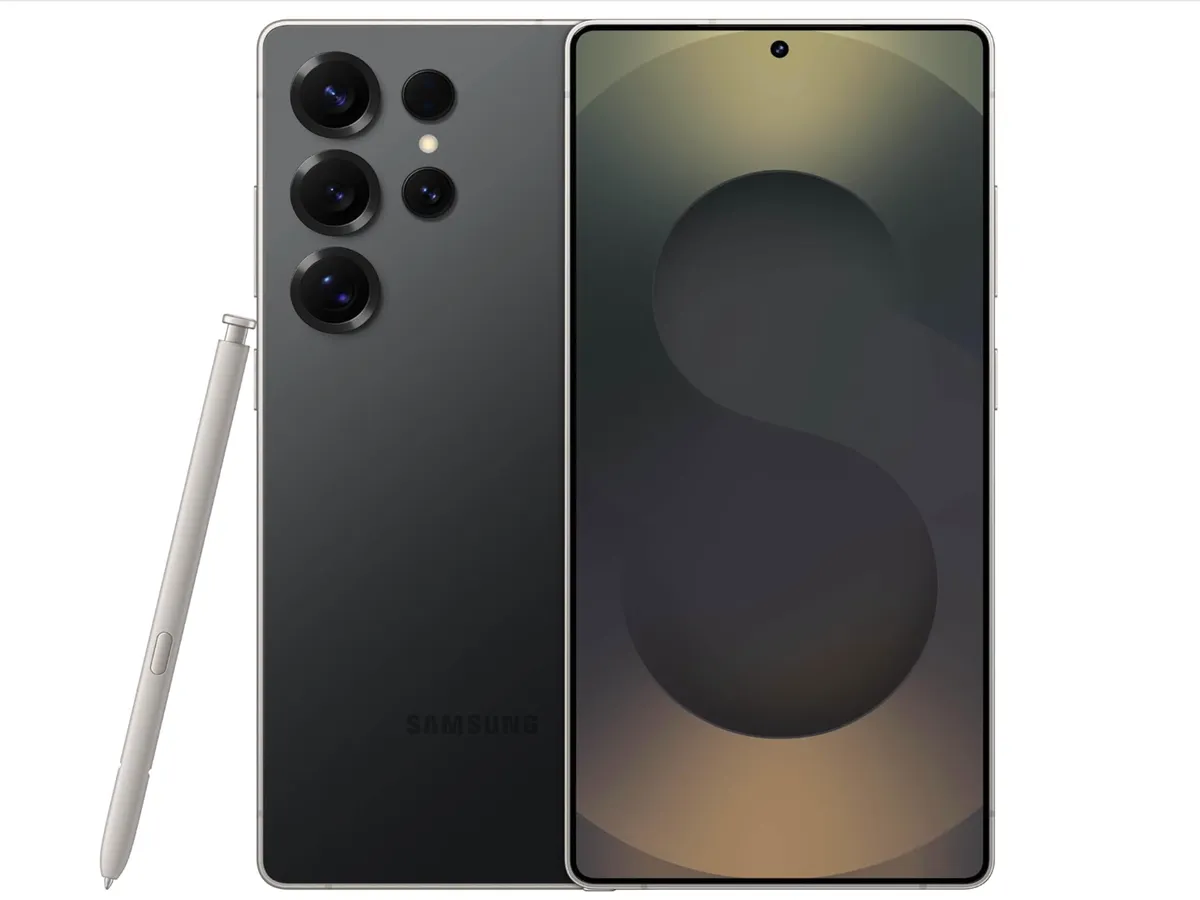
Samsung launched Galaxy AI in January 2024 with the Galaxy S25 series and has expanded it significantly through the S26 lineup running One UI 8.5 on Android 16. The Galaxy S26 series, launched in March 2026, runs the Snapdragon 8 Elite Gen 5 - Qualcomm's fifth-generation Elite chip - and pairs with updated accessories including the Galaxy Buds 4 Pro ($249). Unlike Apple's tightly controlled on-device approach, Samsung built Galaxy AI using a combination of on-device models, Samsung's cloud infrastructure, and Google's Gemini backend. The result is a wider feature set than Apple Intelligence and broader device support, with the tradeoff that certain tasks send data to external servers.
This guide covers every Galaxy AI feature in One UI 8.5, which devices support each one, how the S26 generation improved on its predecessors, and how to get the most out of the system.
The Snapdragon 8 Elite Gen 5: The Hardware Foundation
How We Evaluated
- All features tested on Galaxy S26 Ultra running One UI 8.5
- Live Translate tested with native speakers in Korean, Spanish, French, and Japanese
- Generative Edit evaluated with 40+ photos across different complexity levels
- Circle to Search accuracy tested with 100+ objects across categories
The Galaxy S26, S26+, and S26 Ultra all run the Snapdragon 8 Elite Gen 5 - Qualcomm's fifth-generation Elite architecture that Samsung and Qualcomm jointly tuned for Galaxy AI workloads. Key specs relevant to AI performance:
Hexagon NPU (Gen 5) - the highest NPU throughput of any shipping Android phone chip as of early 2026, with improved efficiency for sustained AI workloads
12 GB RAM standard across the entire S26 lineup, enabling larger on-device models to stay resident in memory
Dual NPU cores for parallel AI task execution - relevant for features like real-time call translation that must run while other apps are active
Android 16 with One UI 8.5 - the current major release, bringing expanded Galaxy AI agentic features previewed at Samsung's 2026 Unpacked event
The Exynos variant (sold in some European and Asian markets) has a comparable NPU specification. Samsung has confirmed feature parity for all major Galaxy AI features on One UI 8.5 across both chip variants, though performance on sustained AI tasks differs.
Galaxy S26 Pricing
The S26 series launched in March 2026 at the following prices:
Galaxy S26 - $799
Galaxy S26+ - $999
Galaxy S26 Ultra - $1,299
All three models receive the same Galaxy AI feature set on One UI 8.5 with no tier-gating by model, a continuation of Samsung's approach from the S25 lineup.
Circle to Search
Circle to Search is a Google-developed feature, available on Galaxy S26 through a Google backend. It lets you draw a circle, tap, or highlight anything on your screen - in any app, without leaving what you're doing - and instantly run a Google Search for it.
What's New in 2026
Video content - Circle an object in a playing video to search it without pausing. The system captures the relevant frame automatically.
Text within images - Circle text in a photo or screenshot to extract and search it, not just the image as a whole.
Music identification - A music note icon appears when audio is playing, letting you identify a song without switching to Shazam.
Translation overlay - Circle foreign text on screen to see a translation without copying or leaving the app.
Circle to Search requires an internet connection and processes through Google's infrastructure. Available on Galaxy S26, S25, S24, S23, Z Fold 7/6/5, Z Flip 7/6/5, and Galaxy A56.
Live Translate
Live Translate handles real-time translation during phone calls in both directions simultaneously. When enabled, it translates what the caller says into your language and optionally announces your translated words to the caller in their language - without either person needing a special app or phone model.
Supported Languages
One UI 8.5 supports real-time translation between 16 languages: English, Spanish, French, German, Italian, Portuguese, Korean, Japanese, Chinese (Simplified and Traditional), Arabic, Hindi, Dutch, Russian, Polish, and Swedish.
How It Works in Practice
Live Translate activates from a button in the in-call interface. A slight delay of roughly 1-2 seconds is visible in most languages as the system processes and synthesizes the translation. For languages with significantly different sentence structures (Korean, Japanese, Arabic), the delay is slightly longer because the model waits for more sentence context before translating. Korean-English, the most common use case in Samsung's primary markets, runs predominantly on-device on the Snapdragon 8 Elite Gen 5. Less common language pairs route more processing to cloud infrastructure.
Chat Assist
Chat Assist works in the Samsung Keyboard, which means it is available in any app that uses the default keyboard - not just Samsung's messaging apps. It modifies outgoing text across three dimensions:
Tone adjustment - Rewrite a message as Professional, Casual, Polite, Direct, or Witty. The tones make meaningful style changes, not just word substitutions.
Translation - Translate your typed message into another language before sending, with the same 16-language support as Live Translate.
Grammar correction - Similar to Apple's Proofread, accessed via the keyboard rather than a text selection menu.
Chat Assist is accessible through a small star icon in the Samsung Keyboard toolbar. On-device tone adjustment (without translation) runs locally on the Snapdragon 8 Elite Gen 5. Translation routes to Samsung's servers and requires an internet connection.
Note Assist
Note Assist brings Galaxy AI directly into Samsung Notes, adding a set of AI tools that activate from a Note Assist button in the note toolbar:
Summarize - Condenses a long note to its key points in bullet form. On S26, summarization runs on-device for notes under approximately 2,000 words.
Format - Restructures notes with proper headings, bullet points, and sections based on content structure. Useful for cleaning up stream-of-consciousness notes.
Auto-title - Generates a title for an untitled note based on its content.
Translate - Translates a note into another language with original and translation shown side-by-side.
Cover Letter / Template - Generates structured document templates from brief inputs. The Cover Letter mode takes a job description and experience summary and drafts a letter.
Transcript Assist
Transcript Assist in the Samsung Voice Recorder app produces AI-generated transcripts from recordings with speaker differentiation and post-processing tools:
Speaker labels - Identifies distinct voices and labels them (Speaker 1, Speaker 2, etc.). Accuracy degrades with more than four simultaneous speakers.
Summary with action items - After transcription, tapping "Summarize" produces a structured summary with decisions made and tasks assigned.
Chapter markers - Automatically segments long recordings by topic with labeled chapters in the transcript timeline.
Translation - Translates the transcript into another language while keeping the original for reference.
Transcription processes primarily on Samsung's servers. A 60-minute recording typically takes 2-4 minutes to fully transcribe. Samsung's privacy policy states that voice recording data sent to its servers for transcription is retained for up to 90 days before deletion.
Browsing Assist
Page Summary - Summarizes the current web page in a panel without replacing the page content.
Text translate - Translates selected text or the full page content in-browser.
Writing Assist - Provides a Writing Tools-style menu when filling in web forms or text areas, similar to Apple Intelligence's system-wide Writing Tools.
Browsing Assist is exclusive to Samsung Internet. It does not work in Chrome, Firefox, or other browsers - a significant practical limitation for Galaxy users who default to Chrome.
Generative Edit in Gallery
Object removal - Remove a selected object and fill the background with AI-generated content. Quality on complex backgrounds has improved substantially with the Snapdragon 8 Elite Gen 5.
Object move - Select a person or object, drag it to a different position, and the AI fills both the vacated area and adjusts the object's placement realistically.
Object resize - Scale a selected element up or down within the photo. The AI extends or reconstructs edges as needed.
Remaster - Enhances old or low-quality photos with upscaling and detail reconstruction.
Generative Background - Replaces or extends the background behind a selected subject. You type a description of the desired background, and the AI generates it around the subject.
On S26, basic removal and movement operations run locally on the Snapdragon 8 Elite Gen 5 NPU. Generative Background, which requires generating entirely new visual content, still uses Samsung's cloud. Images edited with Generative Edit are tagged with C2PA metadata indicating that AI editing was applied.
Galaxy Buds 4 Pro Integration
The Galaxy Buds 4 Pro ($249, March 2026) pairs tightly with the S26 series and One UI 8.5. Key Galaxy AI integrations:
ANC 2.0 - Second-generation active noise cancellation with improved mid-frequency attenuation and adaptive mode that reads ambient conditions every 0.5 seconds.
Head gestures - Nod or shake your head to accept or decline calls, dismiss notifications, and respond to Bixby/Gemini prompts without touching the earbuds or phone.
Live call translation - During a phone call on S26, the buds deliver translated audio in your ear while simultaneously presenting the translation on the phone screen.
Galaxy AI audio summaries - Long voice messages and call transcripts can be summarized through the buds via Galaxy AI without picking up the phone.
Now Brief and Now Bar
Now Brief and Now Bar are Galaxy AI's proactive information features, pulling from your calendar, email, usage patterns, and installed apps to surface relevant information without being asked:
Now Bar - A contextual strip at the bottom of the lock screen showing real-time relevant information: a departure countdown for an upcoming flight, current commute time, a timer, or a music player widget. The content changes based on context.
Now Brief - A daily summary card showing the day's schedule, weather, news headlines relevant to your interests, and reminders pulled from email and messages. On One UI 8.5, it reads summary data from third-party calendar apps and Gmail, not just Samsung's native apps.
Gemini Integration on Galaxy S26
Samsung ships the Galaxy S26 with Google Gemini as the default assistant. Bixby remains available for device control tasks, but Gemini handles conversational queries, research, and complex requests. Galaxy S26 provides Gemini Advanced access (Gemini 1.5 Pro model) as part of the included Google One subscription for the first year. After the first year, Gemini queries default to the standard Gemini model without a subscription.
The combination gives Galaxy S26 access to the most capable cloud-hosted AI model (Gemini 1.5 Pro) plus the Snapdragon 8 Elite Gen 5's on-device capabilities - a broader combined capability than either iPhone 17 or Pixel 10 as individual packages.
Supported Devices Table
Device | One UI Version | Full Galaxy AI | Notable Limitations |
|---|---|---|---|
Galaxy S26 Ultra | One UI 8.5 | Yes | None - reference device |
Galaxy S26+ | One UI 8.5 | Yes | None |
Galaxy S26 | One UI 8.5 | Yes | None - same chip and RAM as S26+ |
Galaxy S26 Ultra / S25+ / S25 | One UI 8.5 | Yes | No S26-exclusive on-device processing gains |
Galaxy Z Fold 7 | One UI 8.5 | Yes | Full feature set |
Galaxy Z Flip 7 | One UI 8.5 | Yes | Full feature set |
Galaxy S25 series | One UI 8.5 | Mostly | Generative Edit more cloud-dependent; slower on-device inference |
Galaxy Z Fold 7 / Flip 6 | One UI 8.5 | Mostly | Subset of Galaxy AI; limited Generative Background |
Galaxy S23 series | One UI 8.5 | Partial | No Generative Edit, limited Note Assist, no Generative Background |
Galaxy A56 | One UI 8.5 | Limited | Circle to Search, Chat Assist, Live Translate (cloud-only); no photo AI |
Galaxy A36 and below | One UI 8.5 | Minimal | Cloud-only AI features; no NPU for on-device inference |
Privacy Considerations
Galaxy AI's hybrid architecture means understanding which features keep data local and which send it to external servers:
On-device on S26 - Basic writing rewriting (Chat Assist tone), note summarization under ~2,000 words, photo object removal and movement, Live Translate for major language pairs
Samsung cloud - Transcript Assist, complex Note Assist operations, Generative Background, most Sketch to Image operations, Now Brief news personalization
Google cloud - Circle to Search, Gemini assistant queries, Browsing Assist page summaries
Samsung's AI privacy settings are accessible in Settings > Privacy > Samsung AI. You can restrict which features use cloud processing and opt out of data collection for model improvement separately from the feature itself. Samsung's privacy policy states that data used for Galaxy AI feature execution is not retained longer than needed to complete the request, but data used for model improvement is retained with anonymization for up to 3 years.
What's Coming: One UI 9 and Agentic Galaxy AI
Samsung has previewed the next phase of Galaxy AI under "Agentic AI" for One UI 9, expected to ship with future Galaxy hardware in 2027. Key previewed capabilities:
Multi-app task chains - Galaxy AI would execute multi-step tasks: "Book dinner at that Italian place Sarah mentioned" would search recent messages for the restaurant name, look up availability, and complete the reservation.
Galaxy AI for third-party apps - An API to let third-party apps register actions with the Galaxy AI agent, similar to Apple's App Intents but controlled through Samsung's own assistant layer.
On-device model expansion - Samsung has announced plans to run a 7B parameter model on-device on the next-generation chip, compared to the 1-3B models currently running locally on S26.
Sources
Frequently Asked Questions
Does Galaxy AI work on carrier-locked phones?
Yes. Galaxy AI features are not carrier-restricted. The only limitations are regional - some Live Translate language pairs are not available in all markets, and Now Brief news features vary by country.
Can I use Galaxy AI without a Samsung account?
Circle to Search, Live Translate, and Chat Assist work without a Samsung account sign-in. Note Assist, Transcript Assist, and Now Brief require a Samsung account for full functionality. Generative Background also requires account sign-in for content policy enforcement.
Does Galaxy AI work in third-party apps?
Chat Assist (tone, grammar, translation) works in any app through the Samsung Keyboard. Circle to Search works system-wide. Note Assist, Transcript Assist, and Browsing Assist are Samsung-app-exclusive. There is no equivalent to Apple Intelligence's Writing Tools that surfaces in every third-party text field via a standard API - this is a key structural difference between the two platforms.
How does Live Translate compare to having an interpreter on a call?
Live Translate handles conversational speech reliably in its supported languages. It struggles with heavy accents, technical jargon, and overlapping speech. For a routine business call, it is effective. For a medical consultation, legal negotiation, or high-stakes communication where nuance is critical, a human interpreter remains preferable.
Is Generative Edit detectable?
Images edited with Generative Edit on Galaxy S26 are tagged with C2PA (Coalition for Content Provenance and Authenticity) metadata indicating that AI editing was applied. This metadata persists in the saved file and can be read by apps or platforms that check for C2PA tags. The metadata is not visible to a casual viewer but is there for verification tools.
Will Galaxy AI features come to older phones like the S22?
Samsung has confirmed Galaxy AI support back to the S23 series. The Galaxy S22 will not receive Galaxy AI features - the hardware does not have sufficient NPU throughput for on-device inference, and the cloud-only fallback is not part of Samsung's Galaxy AI rollout plan for that generation.