
Apple Intelligence is Apple's on-device AI system built into iPhone, iPad, and Mac. It launched in stages beginning with iOS 18.1 in October 2024, and as of April 2026, it has shipped through iOS 18.4 with iOS 19 currently in developer beta. The feature set has expanded significantly from the initial release, and the most consequential update of 2026 is the arrival of Gemini-powered Siri alongside full iPhone 17 lineup support - including the entry-tier iPhone 17e.
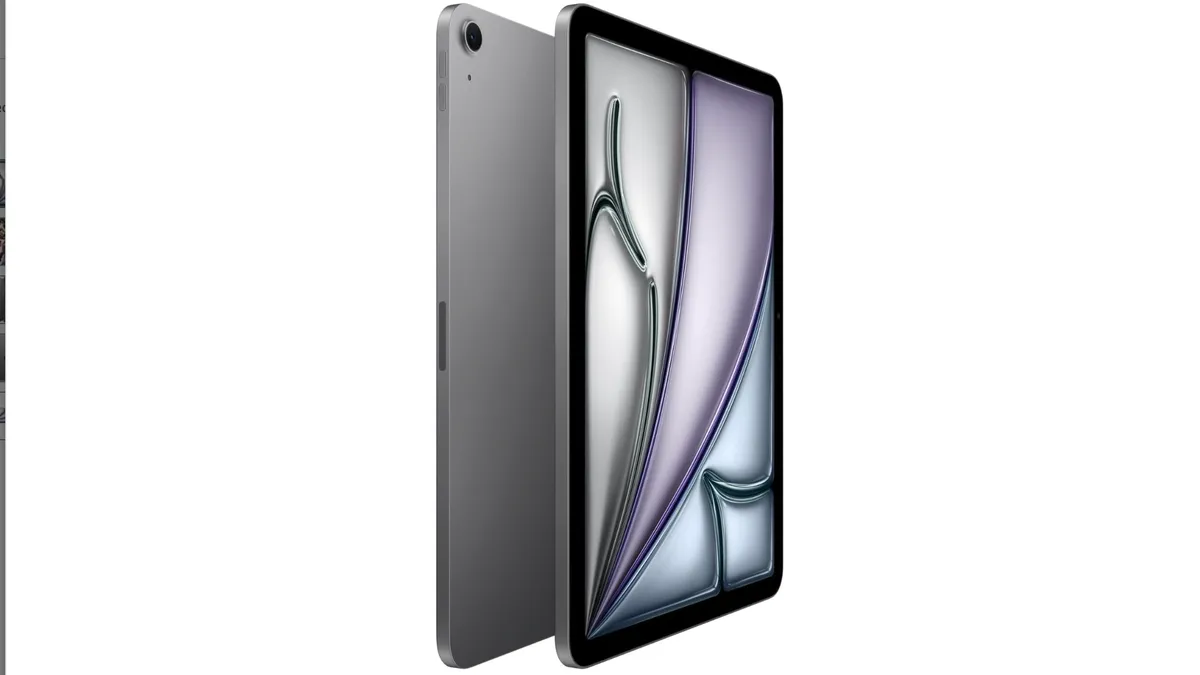
Apple Intelligence is not a chatbot. It does not compete directly with ChatGPT or Gemini as a standalone product. It is a layer of AI woven into the operating system that understands your personal data - emails, messages, photos, files, calendar - and uses that context to help you without requiring you to switch apps or construct prompts. Privacy is the architectural foundation: most processing happens on-device using the Neural Engine, and the features that require more compute use Apple's Private Cloud Compute with cryptographic guarantees that even Apple cannot access the data.
Supported Devices as of April 2026
Apple Intelligence requires specific chip hardware because it runs AI models locally. A device that lacks the required Neural Engine performance cannot run Apple Intelligence regardless of how recently it was purchased.
Device Category | Minimum Required Chip | Supported Models |
|---|---|---|
iPhone | A17 Pro or newer | iPhone 15 Pro, 15 Pro Max, iPhone 16 (all four models), iPhone 16e, iPhone 17e, iPhone 17, iPhone 17 Plus, iPhone 17 Air, iPhone 17 Pro, iPhone 17 Pro Max |
iPad | M1 or newer | iPad Pro M1/M2/M4, iPad Air M1/M2/M3, iPad mini (A17 Pro) |
Mac | M1 or newer | All Mac models with Apple silicon: MacBook Air M1 and later, MacBook Pro M1 and later, iMac M1 and later, Mac mini M1 and later, Mac Studio, Mac Pro M2 Ultra |
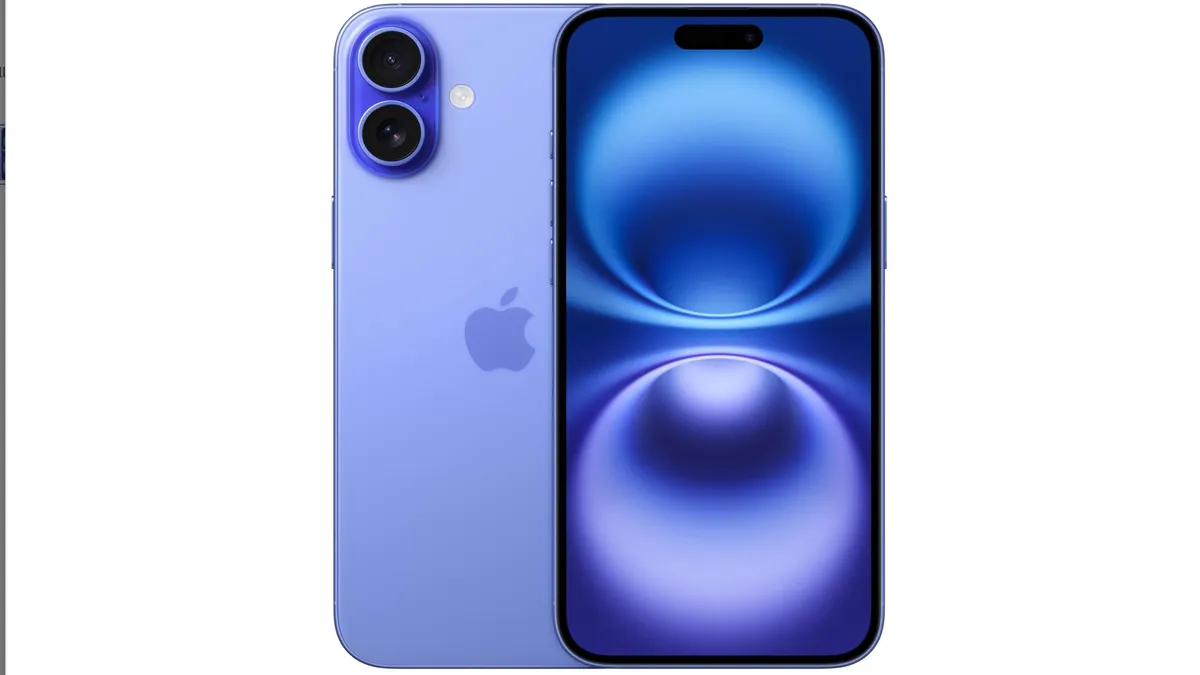
The full iPhone 17 lineup - iPhone 17e, iPhone 17, iPhone 17 Plus, iPhone 17 Air, iPhone 17 Pro, iPhone 17 Pro Max - runs Apple Intelligence. iPhone 17 and 17 Plus use the A19 chip; iPhone 17 Air uses A19; iPhone 17 Pro and Pro Max use the A19 Pro chip (TSMC 3nm). iPhone 17e uses an A16-class chip but meets the Apple Intelligence threshold. Standard iPhone 15, iPhone 14, iPhone 13, and all earlier models do not support Apple Intelligence - this is a hardware constraint, not a software policy Apple can reverse with an update.
The 2026 Milestone: Gemini-Powered Siri
The most significant Apple Intelligence development in 2026 is the integration of Gemini as an optional Siri backend. Apple's partnership with Google brings Gemini's real-time knowledge, reasoning capability, and current-events awareness into Siri without requiring users to leave the Apple interface or manually switch to a separate app.
How it works: Siri handles personal context queries - emails, messages, calendar, files - entirely on-device using Apple Intelligence. When a query requires internet knowledge, real-time information, or reasoning that exceeds local capability, Siri offers to forward it to Gemini. The request is sent without your Apple ID or identifying information attached. Users can also invoke Gemini directly through Siri at any time.
The ChatGPT integration, available since iOS 18.2, remains available as an alternative external AI model. Users can choose Gemini, ChatGPT, or both, depending on preference. Both external model invocations require explicit user consent before any data leaves the device.
The practical result: iPhone 17 users get on-device privacy for everything personal, Gemini's reasoning quality for everything requiring current knowledge, and Apple's consistent privacy architecture wrapping both. This addresses the longstanding criticism that Siri's conversational intelligence lagged Gemini and GPT-4o for factual and research queries.
Writing Tools
Writing Tools is available in every text field on iOS, iPadOS, and macOS. Select any text, tap or click Writing Tools, and you get a contextual AI editing panel. It works in Mail, Messages, Notes, Pages, Safari, and third-party apps including WhatsApp, Slack, and Google Docs.
As of iOS 18.4, Writing Tools includes:
Proofread - Grammar, spelling, punctuation, and clarity corrections with explanations for each suggested change. Unlike autocorrect, it shows you what changed and why.
Rewrite - Rephrases your text while preserving meaning. Three tone options: Friendly, Professional, and Concise. Each produces meaningfully different output.
Summarize - Condenses selected text to a short paragraph or bullet list. Useful for summarizing long articles pasted into Notes or long email threads.
Key Points - Extracts the most important information as a structured bullet list. Works well on meeting notes, reports, and long documents.
Table - Converts structured text - like a list of products with attributes - into a formatted table.
List - Converts paragraphs into organized bullet points.
Describe Your Change - A freeform field where you type a specific instruction: "make this shorter," "change the audience to a 12-year-old," "remove the jargon." Apple Intelligence follows the instruction.
All Writing Tools processing happens on-device via the Neural Engine. No text is sent to Apple servers. This makes it safe to use with confidential work documents, legal drafts, or medical information.
Siri with Apple Intelligence
Siri's iOS 18 overhaul was the most significant change to the assistant since its 2011 launch. The new Siri architecture, available on all supported devices including the full iPhone 17 lineup, introduces four core capabilities that the previous version could not deliver:
On-Screen Awareness
Siri can see what is on your screen and take action on it. You are reading an email with a phone number - say "call this number" and Siri dials it without you having to copy or type anything. You are looking at a photo - say "send this to Dad" and Siri opens Messages with the photo attached, addressed to your father's contact. This is a genuine capability shift that applies to every iPhone 17 model, not just the Pro tier.
Personal Context
Siri searches your emails, messages, files, and calendar to answer personal questions entirely on-device. "When is my dentist appointment?" reads from Calendar. "What did Sarah say about the budget in her last email?" searches Mail. "Where is the restaurant we went to for John's birthday?" finds the message thread where you discussed it. This runs on-device on the Neural Engine - no data leaves your device for these personal queries.
Conversational Follow-Up
Ask follow-up questions without repeating context. "Find a good Italian restaurant near me" followed by "Is it open for lunch on Sunday?" follows the context without you specifying the restaurant again. Context retention across a session is now reliable and consistent across all supported iPhone 17 models.
App Actions
Siri performs multi-step actions inside apps. "Send the photos from last Saturday to Mom in Messages" triggers a Photos library search, selects the relevant images, opens Messages, locates your mom's contact, attaches the photos, and prompts you to confirm before sending. Third-party developers expose custom app actions through Apple's App Intents framework, making Siri increasingly capable across the third-party app ecosystem.
Notification Intelligence
Apple Intelligence reads incoming notifications and applies two kinds of intelligence to them.
Priority Notifications: Messages and alerts that Apple Intelligence determines are time-sensitive - based on who sent them, what they say, and your historical patterns - appear at the top of your notification stack. A "can you call me when you land?" from your spouse surfaces above a promotional email that arrived at the same time.
Notification Summaries: Groups of notifications from the same app or thread are collapsed into a single summary sentence. Instead of 14 individual group chat messages, you see "Emily confirmed dinner, Jake is running late, and the group settled on the Italian place." The summary is generated on-device; individual messages are never sent anywhere for this processing.
Photos: Clean Up and Visual Search
Clean Up
The Clean Up tool in Photos removes objects from photos by circling or tapping them. The AI fills in the background using context from the surrounding image. It handles people in the background, power lines crossing a landscape, distracting objects on a table, and tourists in a scenic shot. It works entirely on-device with no upload required on A19 and A19 Pro devices.
Natural Language Photo Search
"Find photos of Jake at the beach" searches by face recognition, scene classification, and location metadata simultaneously. "Show me screenshots from last month" filters by document type and date. "Pictures where I was laughing" uses emotion detection. This runs on-device using the Neural Engine on all supported devices, including iPhone 17e.
Image Playground and Genmoji
Image Playground
Image Playground generates stylized images from text descriptions or by using people from your Photos library as subjects. Three styles are available: Animation (cartoon), Illustration (flat design), and Sketch (pencil drawing). Generation runs on-device on supported hardware. Images are suitable for use in Messages, Notes, and presentations but are stylized rather than photorealistic - Apple deliberately excluded photorealistic generation from this tool.
Genmoji
Type a description of an emoji that does not exist in the standard set and Apple Intelligence generates a custom one. "A golden retriever wearing a chef's hat" produces a unique emoji in Apple's standard art style. You can generate a Genmoji of a person from your photos - type someone's name and choose their face as the base. Genmoji sends in Messages like standard emoji.
Mail Intelligence
Priority Messages - Time-sensitive emails from important contacts appear at the top of your inbox, separated from the main message list.
Email Summaries - A one-sentence summary appears under each email subject line in list view. Open rates are not needed to get the gist of a message.
Smart Reply - Suggested replies are contextual and reference specifics from the incoming message rather than generic "Yes," "No," or "Thanks" suggestions.
Thread Summarization - Long email chains collapse to a key-points summary with the decision history and current status without requiring you to read every message.
Visual Intelligence (iPhone 16 and Later)
Visual Intelligence is a camera-based feature available on iPhone 16 and all iPhone 17 models. Point your camera at something and Apple Intelligence identifies it:
Restaurant lookup - Point at a restaurant sign for hours, menu, and rating without opening any app
Plant and animal identification - Point at any plant or animal for species identification and habitat information
Product lookup - Point at a product's barcode or packaging to see price comparisons
Math solving - Point at a written math problem for a step-by-step solution
Language translation - Point at any text in a foreign language for immediate overlay translation
External AI Integrations: Gemini and ChatGPT
Apple Intelligence supports two external AI models as optional extensions for queries that exceed local capability:
Gemini (Google, 2026): Apple's new partnership brings Google Gemini's real-time knowledge and reasoning into Siri as an optional backend. When Siri cannot answer a query locally, it offers to forward to Gemini. The request is sent without identifying information. Gemini handles current events, complex research, and multi-step reasoning with its full capabilities.
ChatGPT (OpenAI): Available since iOS 18.2, ChatGPT remains available as an alternative external model. ChatGPT Plus subscribers can sign into their account to unlock GPT-4o's full capabilities. Free users get a rate-limited version. The ChatGPT integration covers text queries, document analysis, and image analysis.
Both integrations require explicit user permission before any request leaves the device. Apple does not forward requests to either external model automatically. Neither OpenAI nor Google stores these requests per their respective agreements with Apple.
Privacy Architecture
Apple's privacy approach for Apple Intelligence has three tiers:
Processing Tier | Where It Runs | Data Retention | Features |
|---|---|---|---|
On-Device | A19/A19 Pro/M-series Neural Engine | Never leaves device | Writing Tools, Clean Up, Notification Summaries, Genmoji, local Siri queries, Visual Intelligence image matching |
Private Cloud Compute | Apple's custom silicon servers | Deleted immediately after processing, never logged | Complex Siri requests, Image Playground generation, advanced tasks beyond on-device capability |
Gemini (optional) | Google servers | Not stored per Apple-Google agreement | Current events, complex research, queries requiring real-time web knowledge |
ChatGPT (optional) | OpenAI servers | Not stored per Apple-OpenAI agreement | Open-ended questions, document analysis beyond local capability |
Private Cloud Compute is auditable by independent security researchers - Apple publishes the software running on these servers so external experts can verify the privacy claims. This transparency is unusual in the AI industry and is a genuine differentiator against Google and Amazon's equivalent server-side AI systems.
How Apple Intelligence Compares to Samsung Galaxy AI and Google Gemini
Capability | Apple Intelligence (iOS 18.4, iPhone 17) | Samsung Galaxy AI (One UI 8.5, Galaxy S26) | Google Gemini (Pixel 10) |
|---|---|---|---|
On-device processing | Primary approach - A19 Neural Engine | Partial - on-device for Live Translate; cloud for others | Partial - Gemini Nano on Tensor G5 TPU |
Personal context (emails, messages) | Yes - deep on-device integration | Limited | Yes - Google Workspace integration |
Real-time web search in assistant | Via Gemini or ChatGPT (user-triggered) | Via Samsung Gauss + web | Native - built-in Google Search |
Photo object removal | Clean Up (on-device, A19) | Object Eraser (on-device) | Magic Eraser (on-device) |
AI image generation | Image Playground (stylized, on-device) | Generative Edit, AI Wallpaper | Magic Editor (stylized) |
Live call translation | Via Translate app + AirPods Pro 3 | Yes - Galaxy S26 on-device via Hexagon NPU | Yes - Pixel 10 on-device via Tensor G5 |
External AI model options | Gemini + ChatGPT (both optional) | Samsung Gauss + Gemini via partnership | Gemini natively |
Privacy architecture | On-device + PCC with independent audit | On-device (Live Translate) + Samsung Knox | On-device Nano + Google cloud |
Price | Free with supported hardware | Free with Galaxy S26 | Free (Gemini Advanced $19.99/mo) |
What Apple Intelligence Cannot Do
Apple Intelligence has real limitations worth knowing before expecting capabilities it does not have:
No real-time web access by default - Siri routes web queries to Gemini or ChatGPT, but Apple Intelligence itself does not browse the internet independently
No photorealistic image generation - Image Playground produces stylized artwork only; it cannot generate convincing photographs of people or places
No long-form content generation from scratch - Writing Tools rewrites and summarizes existing text but does not generate articles, essays, or reports from a blank page
Older device incompatibility - Hardware that predates A17 Pro or M1 cannot run Apple Intelligence regardless of iOS version
Language availability still expanding - Full feature parity across all supported languages is not yet complete as of iOS 18.4; English has the most complete implementation
Sources
Frequently Asked Questions
Is Apple Intelligence free?
Yes, completely free with no subscription required. All Apple Intelligence features are included in iOS 18.1 and later on supported devices. The optional Gemini integration requires no subscription. The optional ChatGPT integration has a free tier; ChatGPT Plus ($20/month) unlocks more capability within the integration. Neither external model is required - Apple Intelligence functions fully without invoking either.
Does Apple Intelligence work in languages other than English?
Apple has added language support throughout 2025 and into 2026. As of iOS 18.4, supported languages include English, Chinese (Simplified and Traditional), French, German, Italian, Japanese, Korean, Portuguese, Spanish, and several others. Full feature parity in non-English languages continues to roll out. Check Settings > Apple Intelligence and Siri on your device for the current list of supported languages and features in your locale.
Does Apple Intelligence work without an internet connection?
Most features work offline: Writing Tools, Clean Up in Photos, Notification Summaries, Genmoji, and most personal Siri queries. Features requiring Private Cloud Compute, Gemini, or ChatGPT need an internet connection. The split is approximately 70% on-device (works offline) and 30% requiring connectivity for the full feature set.
Why can't I use Apple Intelligence on my iPhone 15 (non-Pro)?
The standard iPhone 15 uses the A16 Bionic chip. Apple Intelligence requires the A17 Pro chip or later because the A17 Pro introduced Neural Engine upgrades required to run Apple's on-device AI models at adequate speed and accuracy. This is a hardware limitation, not a software policy decision Apple can reverse. The A16 Bionic lacks the specific matrix multiplication throughput Apple Intelligence requires for real-time processing.
What is Private Cloud Compute and is it actually private?
Private Cloud Compute (PCC) is Apple's server infrastructure built on Apple silicon. When your device sends a request to PCC, it is processed in encrypted memory and deleted immediately after. Apple cannot read it, Apple employees cannot access it, and it is not logged. Independent security researchers can inspect the PCC software stack through Apple's published transparency mechanisms - a level of external auditability that Google and Amazon do not offer for equivalent server-side AI systems.
How does Gemini-powered Siri differ from using the Gemini app directly?
Gemini-powered Siri combines Apple's on-device personal context with Gemini's cloud reasoning in a single interface. Siri can read your emails, messages, and calendar locally and then invoke Gemini for current events or complex analysis without you switching apps or manually describing your context. The Gemini app on iPhone works independently and has full Gemini capability but does not have access to your Apple Mail, Messages, or Health data - those integrations are exclusive to Siri with Apple Intelligence. For general research and conversation, the Gemini app provides a richer interface. For tasks that blend personal data with external knowledge, Gemini-powered Siri is the superior experience.