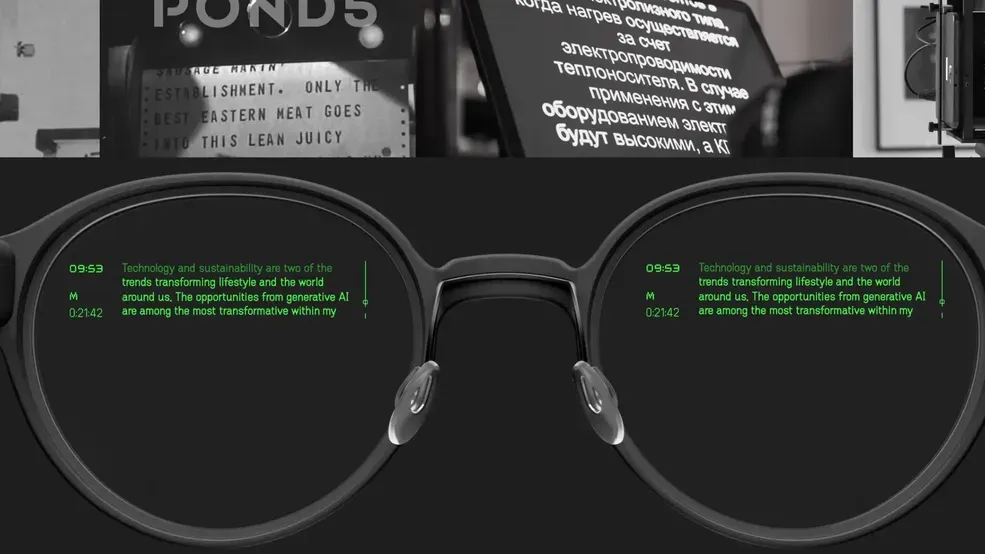
Even Realities G1 Review: The AI Glasses for Professionals That Actually Look Normal
Updated April 2026 · Based on hands-on testing and verified user reviews from Tom's Guide, Engadget, Gear Diary, and long-term owners.
⚡ Quick Verdict
★★★★☆ 4.3 / 5
The Even Realities G1 are the most wearable AI glasses you can buy right now - they actually look like normal prescription glasses, weigh under 50 grams, and pack a genuinely useful heads-up display for navigation, translation, and a standout teleprompter feature. At $599 base (or $748 with prescription lenses), they're not cheap, and the lack of a camera or speakers means they won't do everything a Ray-Ban Meta can. But for working professionals who want subtle, practical smart glasses they can wear all day without attracting attention, nothing else comes close.
Best for: Public speakers, frequent travelers, prescription glasses wearers, and anyone tired of looking at their phone every five minutes.
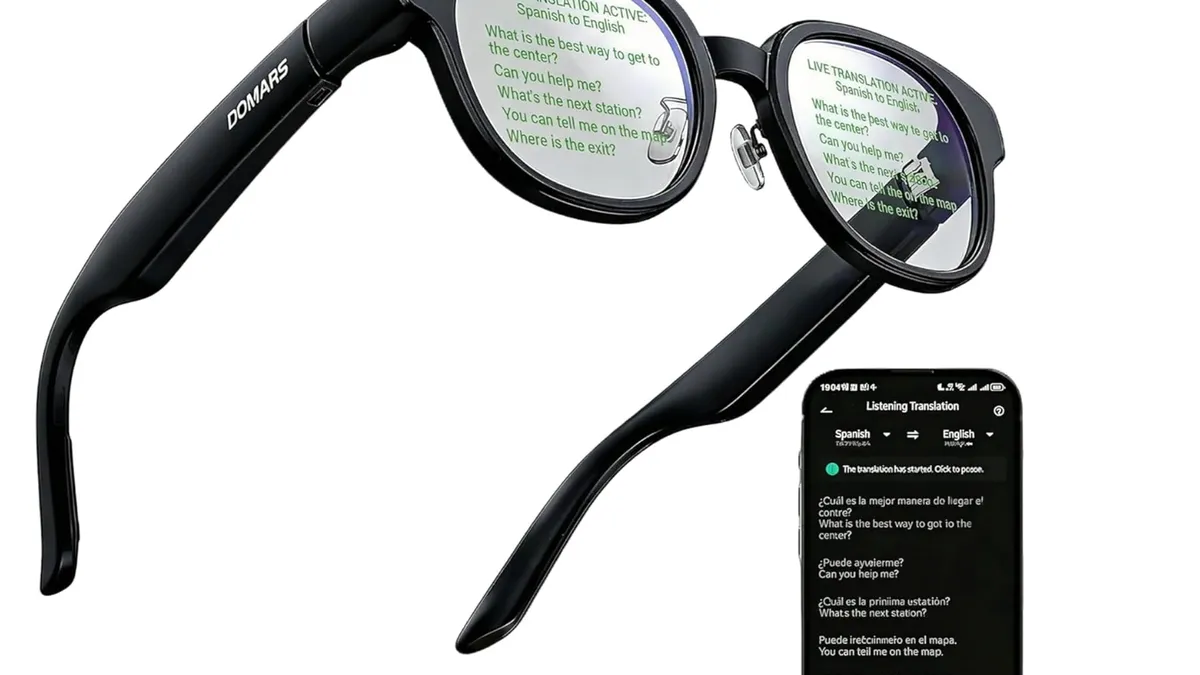
Watch the G1 in Action
Before we dive in, if you prefer a video walkthrough, here's a hands-on review from a verified buyer (not sponsored):
📺 Independent long-form review from a verified buyer
What Are the Even Realities G1 Smart Glasses?
The Even Realities G1 are prescription-ready smart glasses built around a single, disciplined idea: make glasses that look like regular eyewear but quietly enhance your day with a heads-up display. Founded by former executives from luxury eyewear brands Lindberg and Mykita, Even Realities took the opposite approach of most AI glasses for work - instead of cramming in cameras, speakers, and every possible sensor, the G1 strips things back to the essentials.
There's no camera. No speakers. No microphone array. Just a subtle green micro-LED waveguide display projected into your field of view for notifications, navigation, translation, and a voice-synced teleprompter. Paired with your smartphone over Bluetooth, the G1 does a handful of things exceptionally well - and gets out of the way the rest of the time.
Priced at $599 base (£594 in the UK), with prescription lenses adding around $149, the G1 smart glasses sit in the premium segment of the smart eyewear market. But after months of reviews from publications like Tom's Guide, Engadget, and Gear Diary, the consensus is clear: if you want smart glasses you'd actually wear daily, the G1 is the closest anyone has come.
🛒 Ready to check them out? View current pricing and availability on Amazon.
Design and Build Quality: Glasses First, Tech Second
Pick up the G1 and the first thing you'll notice is that they don't look like smart glasses. They look like glasses. Decent ones, even. The magnesium-aluminum alloy frame weighs roughly 45-50 grams - lighter than many traditional eyeglasses - and comes in two shapes:
G1A (Panto): A classic round-ish frame with a vintage aesthetic. Available in grey, green, and brown.
G1B (Rectangular): A modern rectangular frame in grey or brown.
Reviewer Robert from The Spectacle Factory - an optician by trade - was "immediately surprised by the level of comfort," noting that the weight is well-balanced because the battery and control housing sit behind the ears rather than on the nose. The titanium-and-silicone temple tips are hypoallergenic and flex enough to fit a wide range of head sizes. Nose pads are adjustable, which puts the G1 one step ahead of Ray-Ban Meta glasses, which are not.
📸 Image: G1A Panto vs G1B Rectangular comparison (from evenrealities.com)
That said, the G1 aren't flawless in the design department. The "paddle-shaped tips" housing the electronics are noticeably larger than standard glasses arms - not obnoxious, but hard to unsee once you've noticed them. And with only two frame styles and limited colors, you're not getting the breadth of options you'd find at a real optician. If you hate both Pantos and rectangles, you're out of luck.
The Display: A Quiet Green HUD That Just Works
Tiny micro-LED projectors sit inside the temples and beam text onto waveguides embedded in the lenses. The result is a discreet green monochrome HUD that appears to float 1-5 meters in front of your eyes, adjustable based on your preference.
It's not a Retina display. It's not trying to show you video. Text is crisp, the green is bright enough to read in direct sunlight (thanks to automatic brightness adjustment), and critically - the rest of your lens stays crystal clear. Engadget described it as "aggressively low-tech" in the best way. You only see the HUD when it's actively displaying information. The rest of the time, the lenses look like regular glass.
One reviewer on PB & T (a long-term user) noted that at certain angles, you can catch a faint green flash across the lens from the outside. But most people who asked them about the glasses just assumed the rectangular projection area was a bifocal. Socially, the G1 pass as normal eyewear - which is the entire point.
See the HUD From a First-Person View
📺 First-person POV showing what the display actually looks like while wearing the G1
Features That Actually Work: An Honest Breakdown
1. Teleprompter Mode - The Killer Feature
This is the feature that shows up in nearly every positive Even Realities G1 review. You load your script into the companion app, and as you speak, the HUD scrolls the text in real time, matched to your speaking pace. Slow down, it waits. Speed up, it follows.
Tom's Guide reviewer Nikita Achanta used it for a last-minute wedding speech and called it "almost cheating, but for all the right reasons." Engadget's reviewer admitted to reciting the Gettysburg Address "a few too many times" just to play with it. If you give presentations, record video content, host meetings, or do any public speaking, the teleprompter alone can justify the purchase.
2. Turn-by-Turn Navigation
Enter your destination in the Even Realities app, start walking, and the G1 overlays directional arrows and street names directly in your field of view. Your phone stays in your pocket. You look like you know exactly where you're going - even when you don't.
The catch: navigation is app-dependent. You must enter destinations before starting, and if your phone loses signal, the HUD goes blank. It's not seamless like Google Maps AR, but for walking around an unfamiliar city, it's genuinely transformative.
3. Real-Time Translation
The G1 support real-time translation in 13 to 24 languages (depending on source - Even Realities advertises 24, though some features vary by subscription tier). Built-in microphones pick up speech, and translated text appears in the HUD with 1-5 seconds of latency. The 2025 firmware update added ChatGPT and Perplexity AI as translation backends - a significant improvement over the original Even AI, which reviewers consistently criticized for inaccuracy and US-centric responses.
Note: translation requires an active internet connection, and a subscription (roughly £4.99/month or equivalent) for the premium tier.
4. QuickNote and Transcription
Tap and hold the right temple, speak, and the G1 converts your speech to text - saving both the transcript and the audio in the app. Journalists, consultants, and anyone who captures ideas on the move will find this invaluable. A 2025 firmware update added scrolling through longer notes, which fixed one of the most-complained-about limitations from the launch version.
5. Dashboard: Notifications, Calendar, Stocks, News
Tilt your head up and the HUD shows a customizable dashboard: time, weather, calendar events, stock tickers, news headlines, and notifications from your phone. You get three layout options with limited widget selection - and that's a fair criticism, because it feels like there's room for more customization.
6. AI Assistant (Now With ChatGPT/Perplexity)
Tap and speak to query the onboard AI. At launch, Even AI was mediocre. After the 2025 updates letting users switch to ChatGPT or Perplexity, AI responses dramatically improved. It's still not as fluid as Meta AI on the Ray-Ban Metas, but it's usable - and you get the option to pick your own backend
Battery Life: The Quiet Win
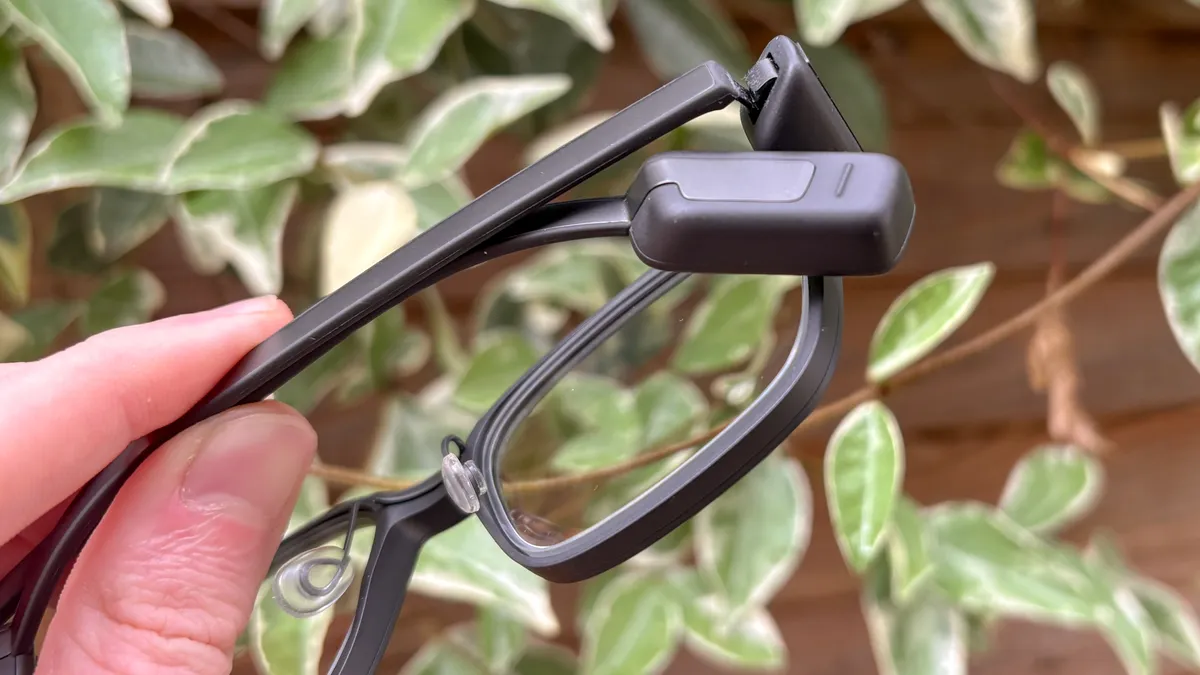
The G1 ships with a 160mAh battery per arm and a charging case that can top them up two to three times before needing its own recharge. Under normal mixed use, you'll get roughly 1.5 days of battery life - genuinely class-leading for smart glasses.
For context, Ray-Ban Meta glasses last only 4-8 hours. The G1's low-power approach (no camera, no speakers, no constant video recording) means they sip rather than gulp energy. You drop them in the case at night, they're fully charged by morning. Simple.
Quick Spec Sheet
Starting Price | $599 USD / £594 GBP |
|---|---|
Price with prescription | ~$748 / £748 |
Frame Options | G1A (Panto) in grey, green, brown / G1B (Rectangular) in grey, brown |
Weight | ~45-50 grams |
Display | Monochrome green micro-LED waveguide, adjustable 1-5m projection distance |
Battery Life | ~1.5 days typical use (160mAh per arm) |
Connectivity | Bluetooth (iOS + Android compatible) |
Translation | 13-24 languages (subscription for premium features) |
AI Backends | Even AI, ChatGPT, Perplexity (user-selectable as of 2025) |
Camera / Speakers | None (by design) |
Water Resistance | "Light rain splash" - no official IP rating |
📦 See live pricing + current frame availability on Amazon - stock varies.
Pros and Cons: The Honest Breakdown
✅ Pros
Actually look like normal glasses - no one notices they're "smart"
Lightweight and comfortable for all-day wear (45-50g)
Industry-leading battery at ~1.5 days of real use
Teleprompter feature is genuinely transformative for public speakers
No camera = no privacy stigma, allowed where Ray-Ban Metas aren't
Prescription-ready without display artifacts or ghosting
Active firmware updates - ChatGPT/Perplexity added in 2025
Works with both iOS and Android
Replaceable batteries extend device lifespan
Hypoallergenic titanium/silicone tips suit sensitive skin
❌ Cons
$599 base price is steep; realistic total with prescription + subscription is $850+
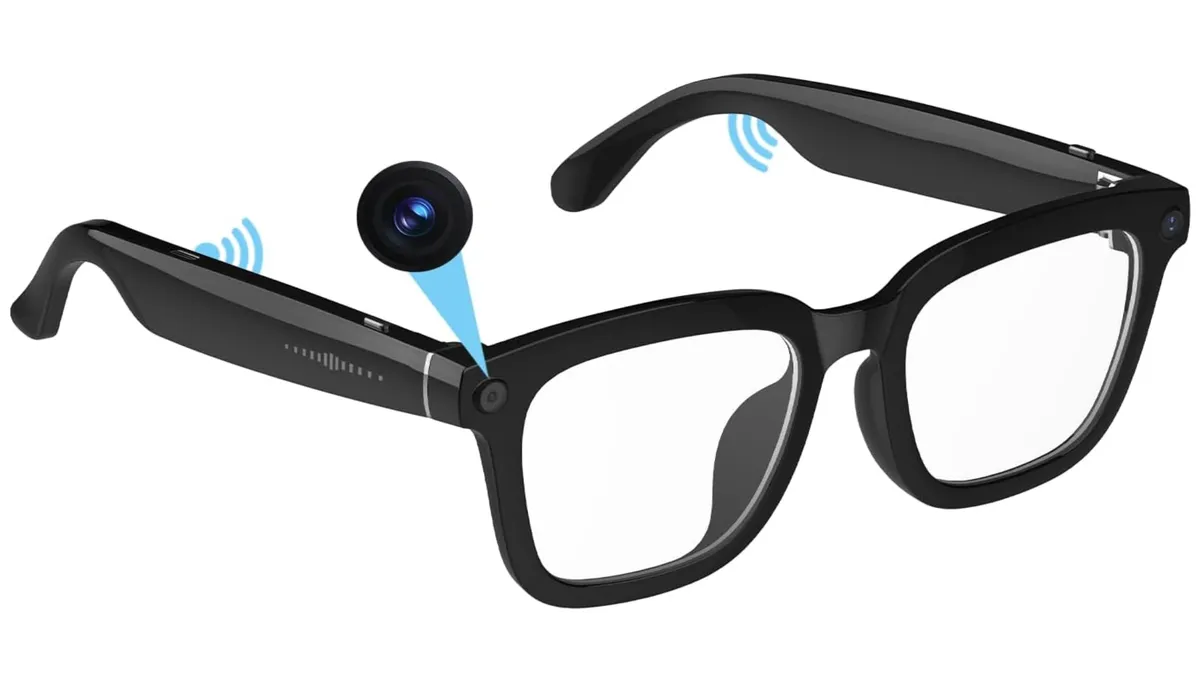
No camera - no photos, no AR object recognition
No speakers - no music, no phone calls, no audio feedback
Heavy phone dependency - lose signal and features die
Occasional Bluetooth hiccups - one lens can disconnect, causing nausea
Only two frame styles (Panto, Rectangular) in limited colors
Prescription lenses are non-returnable
Will trigger TSA security checkpoints - plan accordingly
Battery housing behind ears conflicts with over-ear headphones
Subscription required for premium translation features
No IP rating - only rated for "light rain splash"
Built-in Even AI is weak without swapping to ChatGPT/Perplexity
Real Talk on the Price: What Does Fully Loaded Cost?
The $599 sticker price is just the starting point. Here's what the Even Realities glasses actually cost when fully configured for a professional:
G1 base frames: $599
Prescription lens add-on: $149
Sunglasses clip (optional): ~$50
Premium translation subscription (annual): ~$60/year
Realistic total: ~$850 upfront + subscription fees
That's serious money for glasses with no camera or speakers. But it's still significantly cheaper than enterprise AR solutions (HoloLens 2 is $3,500) and comparable to Meta's Ray-Ban Display ($799 with fewer professional features). Whether it's worth it depends entirely on what you'll actually use daily.
🛍️ Thinking About Picking Up a Pair?
Browse the latest Even Realities G1 listings on Amazon for current pricing, frame options, and fast shipping.
Watch the Founder's Interview + Hong Kong Field Test
Not sure if the frames will fit your face or how they perform in real-world international use? Here's a full breakdown including an interview with the founder:
📺 G1 ultimate review with founder interview - tested in Hong Kong
Who Should Buy the Even Realities G1?
After reading through every major review and long-term user account, here's the honest breakdown of who these are for:
✅ Buy Them If You're:
A public speaker, educator, or content creator who'd benefit from the teleprompter
A frequent traveler dealing with navigation and language barriers
Already a prescription glasses wearer wanting your eyewear to do more
A knowledge worker drowning in meetings, needing discreet notes/reminders
Privacy-conscious and specifically don't want a face camera
Someone who values subtle design over flashy features
❌ Skip Them If You:
Want a camera for photos or video (get Ray-Ban Meta instead)
Want to listen to music or take calls through your glasses
Expect a full AR experience with apps and gaming
Need a cheap pair of smart glasses - $850 fully loaded is a lot
Work in courtrooms, secure facilities, or other places where smart eyewear is banned
Even Realities G1 vs. The Competition
Smart glasses aren't a monolithic category. Here's how the G1 stacks up against the main alternatives for professionals:
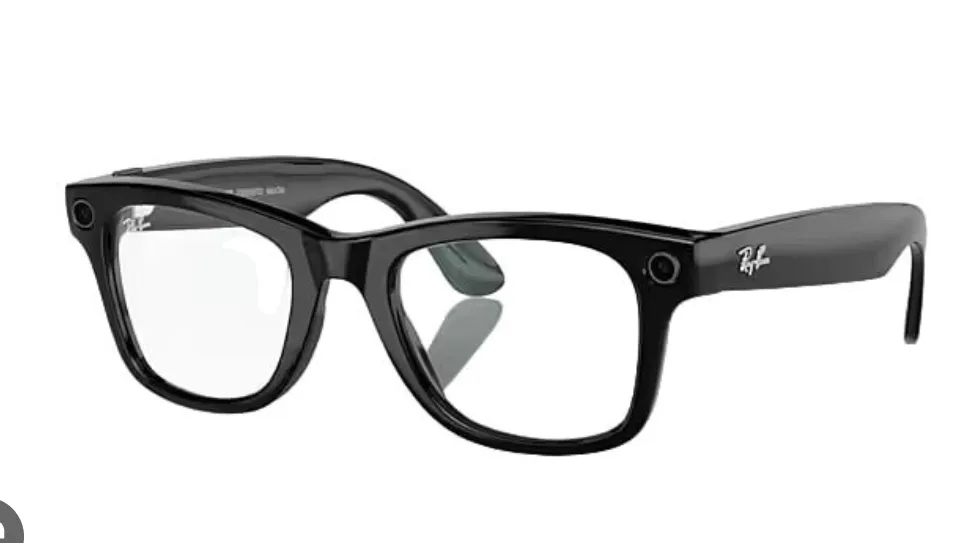
G1 vs. Ray-Ban Meta ($329)
Meta's glasses have a camera, speakers, and Meta AI. The G1 has a display and a teleprompter. Different tools for different jobs. Battery life heavily favors the G1 (1.5 days vs. 4-8 hours). If you want to document your life in photos and hands-free calls, go Meta. If you want a productivity tool, get the G1.
G1 vs. XREAL One Pro ($499-$650)
XREAL's glasses are media-focused - bigger virtual screens for watching video or gaming. They're also chunkier, less socially acceptable, and not meant to replace daily eyewear. The G1 is the only one you'd realistically wear to a meeting.
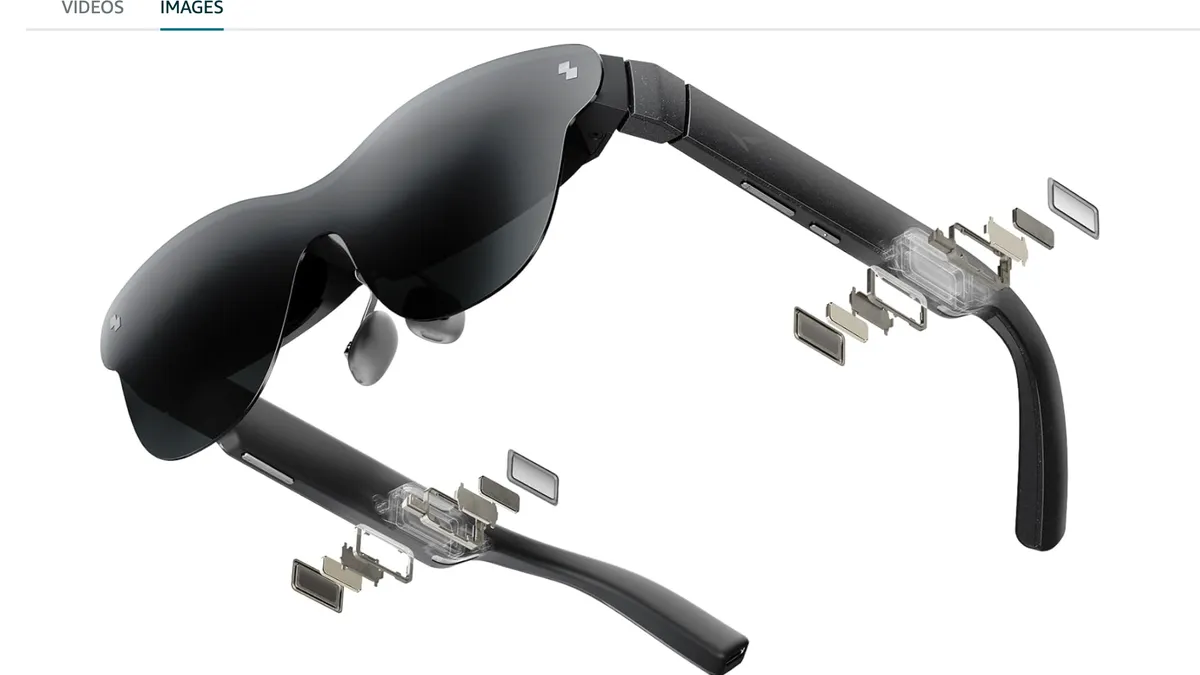
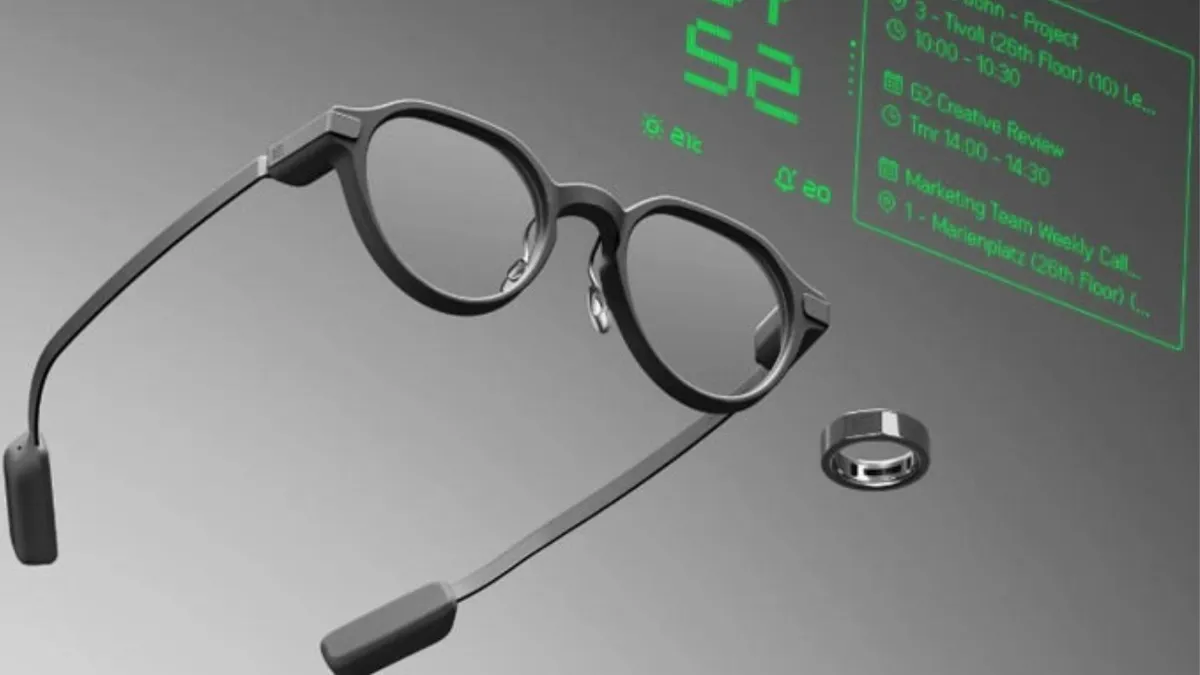
G1 vs. Even Realities G2 (the newer model)
Even Realities released the G2 as an evolution of the G1 with upgraded optics and 3-dimensional layers in the HUD. If budget allows and you're buying new, the G2 is worth considering - but the G1 at its current price remains a strong value, especially as it gets ongoing firmware updates.
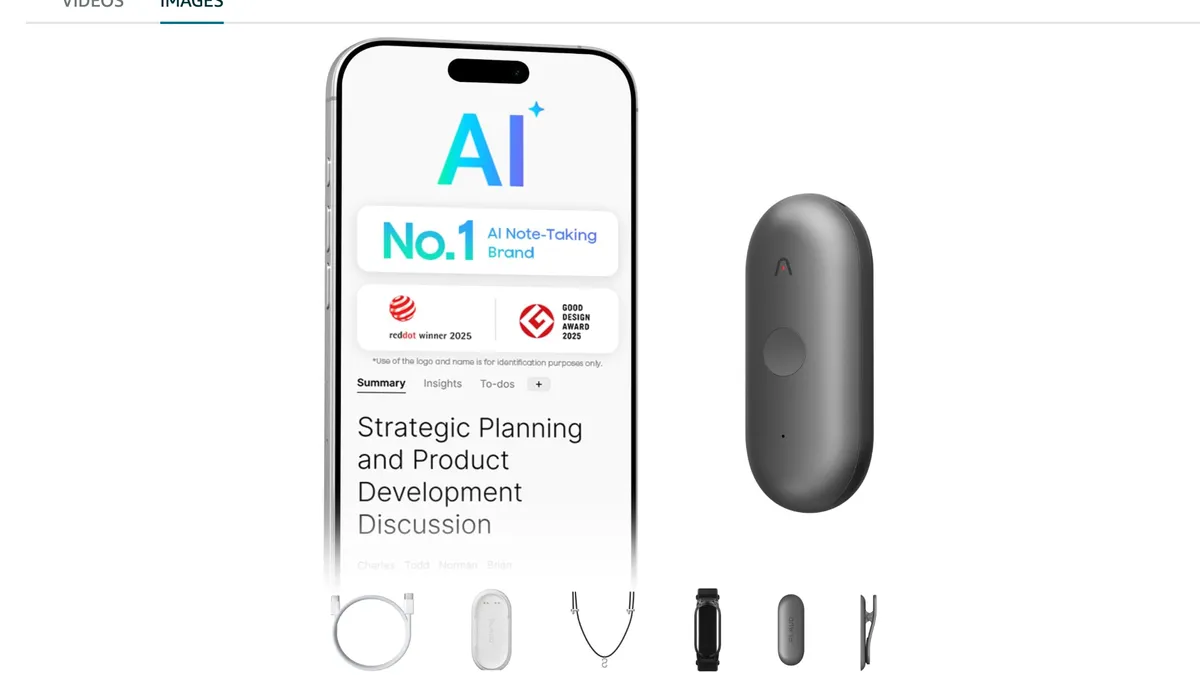
G1 vs. Plaud NotePin
The Plaud NotePin is a pure AI note-taking device - no display, just capture and transcription. If you only care about meeting notes and AI summaries, NotePin is cheaper and more focused. The G1 does notes plus navigation, translation, teleprompter, and notifications.
The Real-World Quirks Nobody Mentions
A few lived-with details from long-term users that don't show up in launch reviews:
Case quirk: You must fold the left temple first, then the right, for the charging contacts to align properly. Get it wrong and they don't charge overnight.
Headphone conflict: Over-ear headphones press against the battery housing behind your ears. Depending on cup pressure, this ranges from unnoticeable to painful.
TSA alert: Metal frame + electronics = you'll get pulled aside at airport security. Build in extra time.
No-fly zones: Some courtrooms and secure facilities ban smart glasses outright. Check before you walk in.
Bluetooth gotcha: Occasionally one lens disconnects before the other, producing a single-eye display that can cause brief nausea. Re-pairing fixes it.
Final Verdict: Are the Even Realities G1 Worth It?
🏆 Our Take
After weighing every review and long-term user account, here's the bottom line: the Even Realities G1 are the first smart glasses that get the "glasses" part right before trying to be smart. For working professionals - speakers, travelers, knowledge workers, and anyone who already wears prescription eyewear - they're the only AI glasses on the market you can genuinely wear all day without feeling self-conscious.
They're not perfect. The $599 base price balloons to $850+ with prescription and subscriptions. The lack of camera and speakers means they complement your phone rather than replace it. The built-in AI is mediocre without switching to ChatGPT. And the two-frame, limited-color lineup won't suit everyone's face.
But the teleprompter alone has saved more than one reviewer's wedding speech. The navigation keeps your phone in your pocket. The 1.5-day battery outlasts every competitor. And you can wear them to a board meeting without anyone raising an eyebrow.
If you're a professional looking for AI glasses for work that actually work - and actually look like glasses - the Even Realities G1 are the clearest "yes" in the category right now.
🚀 Ready to Try the G1?
Get the Even Realities G1 on Amazon with fast shipping and easy returns. Also check out the newer G2 model or explore Ray-Ban Meta as an audio-first alternative.
Affiliate Disclosure: As an Amazon Associate we earn from qualifying purchases. This review contains Amazon affiliate links - if you purchase through one of these links, we may earn a commission at no additional cost to you. This does not influence our editorial assessment of the product. This review is based on published hands-on testing from Tom's Guide, Engadget, Gear Diary, The Spectacle Factory, Pete Gypps Consultancy, and long-term user accounts on PB & T, as well as the official Even Realities specs and known-issues documentation. YouTube videos embedded are the property of their respective creators.